Short answer
Pick the field type for how the value is used. Dropdown select and radio select store one option, multiple checkboxes stores several, single checkbox is yes or no, and URL makes the value a clickable link. Every option has a label users see and an internal name that imports, APIs and integrations use; build mappings on internal names. Require unique values (up to 10 properties per object) turns a custom property into an identifier for imports and the API. Some default properties have fixed behavior: Industry has 148 options you cannot delete, and Time zone does not follow daylight saving.
1. Choose the field type
When you create a property, pick the label and internal name (1) and the field type (2):
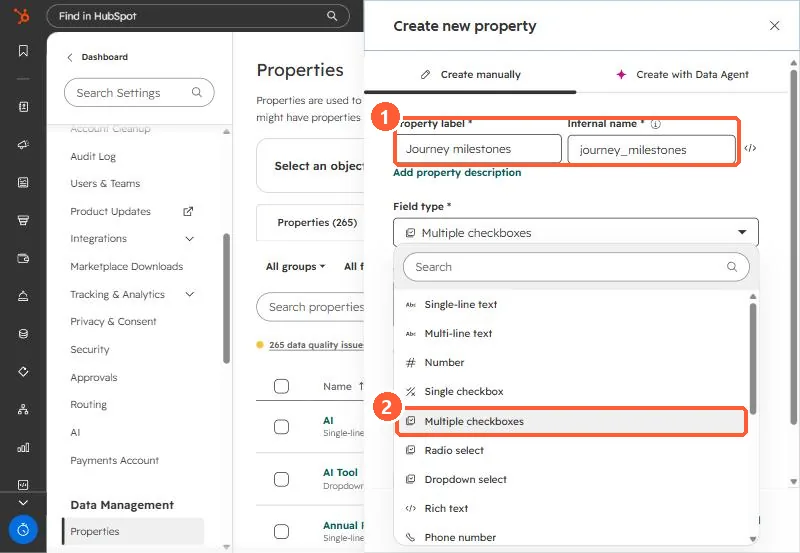
The UI names map to two values in the properties API. I read all 420 contact properties in my demo portal through the API to get these pairs:
| Field type in HubSpot | API type | API fieldType | Stores |
|---|---|---|---|
| Dropdown select | enumeration | select | One option |
| Radio select | enumeration | radio | One option, shown as buttons on forms |
| Multiple checkboxes | enumeration | checkbox | Several options |
| Single checkbox | bool or enumeration | booleancheckbox | True or false |
| Single-line text | string | text | Free text |
| Number | number | number | A number |
| Date picker | datetime | date | A date |
| Phone number | string | phonenumber | A phone number, with optional validation |
| Calculation and rollup | number or datetime | calculation_equation, calculation_rollup | Computed values, see calculated properties |
- Dropdown and radio behave the same on records; they only look different on forms.
- Multiple checkbox values are stored together on one record, so check how filters and reports count a record with several values.
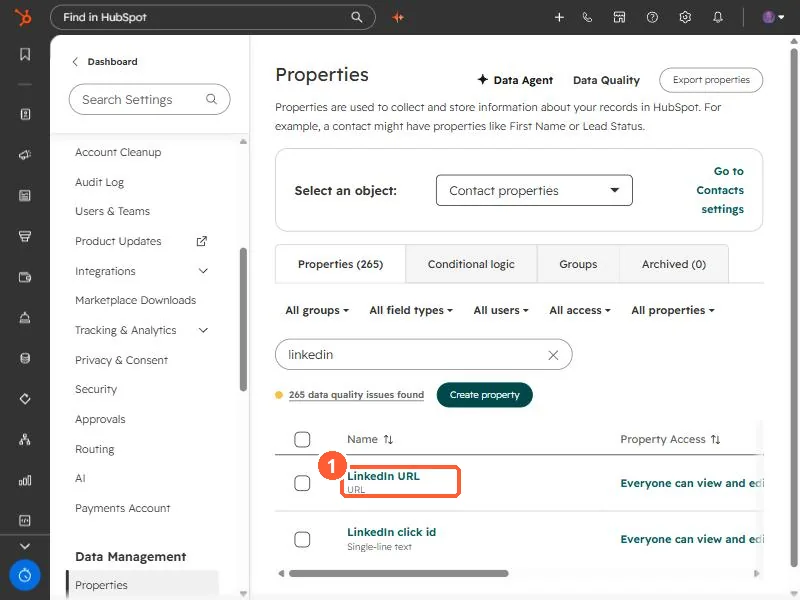
- For links, use the URL field type. HubSpot's own LinkedIn URL property uses it. Text fields are not shown as links.
2. Labels vs internal names
Open a dropdown or radio property and click Field type. The section shows the field type (1), a default value (2) and the option style (3):
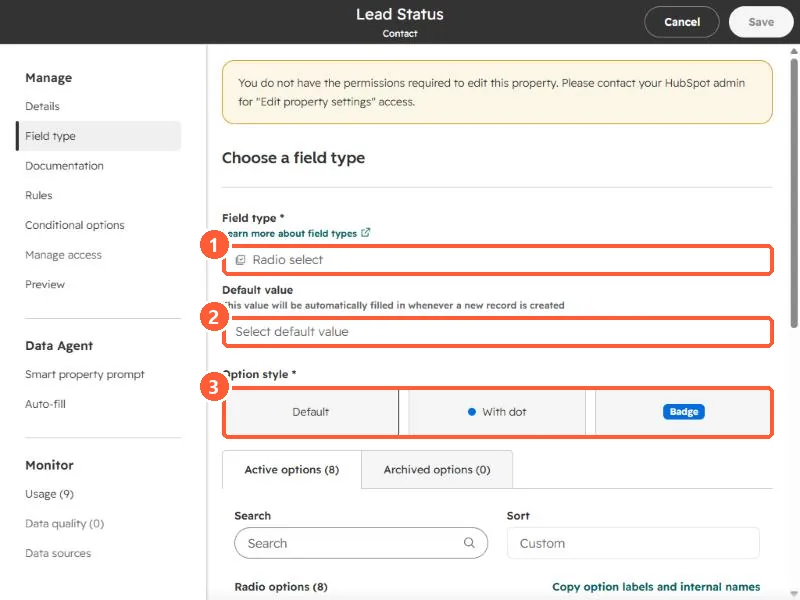
A default value fills automatically on every new record, so leave it empty unless every record should start with it. Option style (dot or badge) is display only. Below it, the options table lists each label (1) and internal name (2), whether it shows in forms and how many records have it (3), and a link to copy all pairs (4):
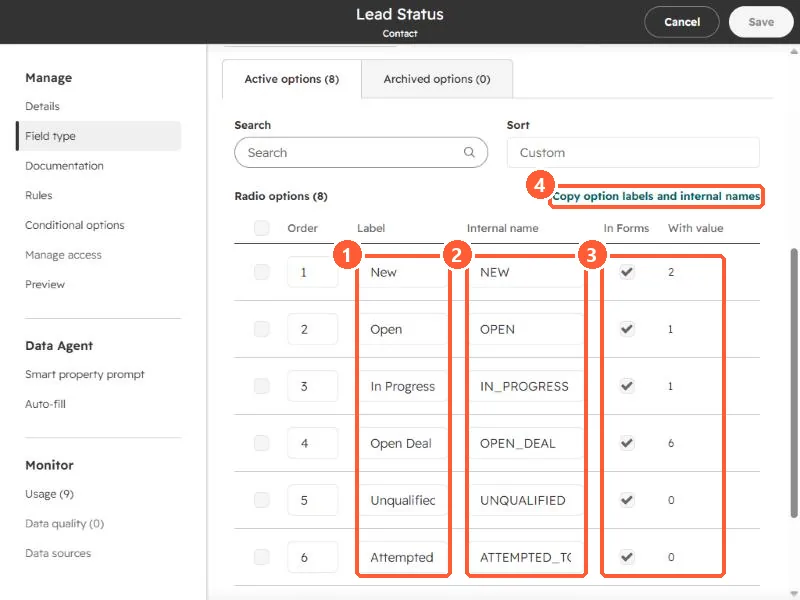
Lead Status through the API returned the same pairs, label then internal name:
New → NEW
Open → OPEN
In Progress → IN_PROGRESS
Open Deal → OPEN_DEAL
Unqualified → UNQUALIFIED
Attempted to Contact → ATTEMPTED_TO_CONTACT- Imports: values must match either the label or the internal name. For multiple checkboxes, separate values with a semicolon and no spaces.
- APIs and integrations: send the internal name. Renaming a label does not have to change the internal name, so mappings built on internal names keep working.
- Limits: an enumeration property can have up to 5,000 options or 512,000 bytes, and 3,000 characters per option.
3. Unique value properties
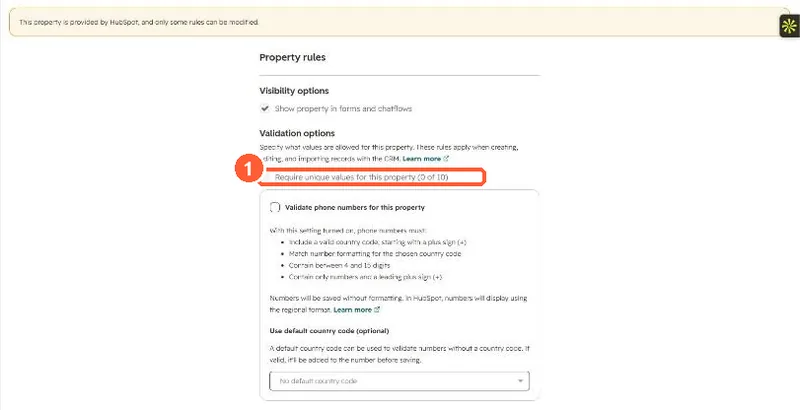
In a property's Rules, Require unique values for this property stops two records of the same object sharing a value. The counter beside it shows how many you have used (1), up to 10 per object:
- Imports can use it as the identifier to update existing records. For companies, Company domain name then does not have to be unique for that import. See imports.
- API reads and updates can use it like Record ID or email. See upserting through the API.
- It is greyed out on most HubSpot default properties, which only allow some rules to change.
- Check existing values for duplicates before turning it on. Values that break a rule show as invalid on the record.
4. Default properties with fixed behavior
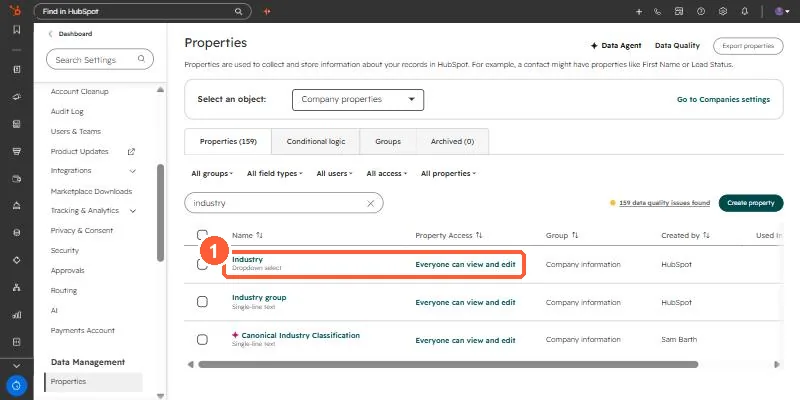
Industry (companies) is a dropdown with a fixed list. Through the API my demo portal's Industry property returned 148 options, from Accounting to Airlines/Aviation onward. They cannot be deleted, but you can add custom options. For a short, controlled list, a custom dropdown is cleaner. Enrichment can fill Industry, see data enrichment.
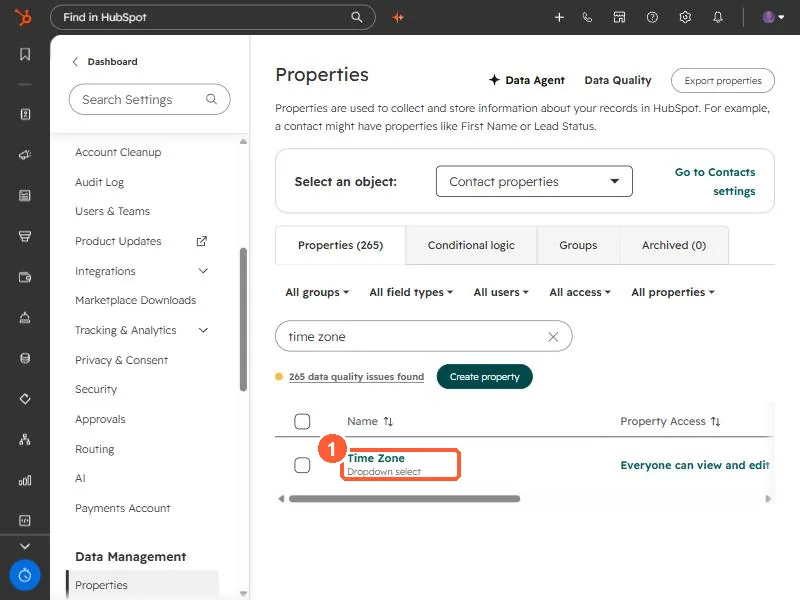
Time zone (contacts) is a dropdown set by hand from fixed options that do not update for daylight saving, so some contacts are an hour off part of the year. IP time zone is set automatically from the contact's IP address and works for segments and reports. Show both on the record for reps who call.
5. What is changing for 2027
- Data quality at entry. Validation rules (unique values, phone validation, formatting) prevent bad data instead of cleaning it later. Set them on new properties from the start. See duplicates.
Common questions
Dropdown or multiple checkboxes?
Dropdown when a record can only have one value. Multiple checkboxes when several can apply at once.
My import says the value is invalid for a dropdown.
The value must match an option's label or internal name exactly. For multiple checkboxes, use semicolons with no spaces.
Can I delete Industry options I do not use?
No. The predefined options cannot be deleted. Use a custom dropdown if you need a short list.
How many properties can require unique values?
Ten per object.
Sources
- HubSpot Knowledge Base: Understand property field types in HubSpot
- HubSpot Knowledge Base: Understand the property editor
- HubSpot Knowledge Base: Format import files
- HubSpot Knowledge Base: Understand the import tool
- HubSpot Knowledge Base: HubSpot's default company properties
- HubSpot Knowledge Base: HubSpot's default contact properties
- HubSpot developer docs: Properties API