Quick tipHow toService Hub

Chat availability: working hours and Away status

Outside working hours, users switch to Away and stop getting routed chats.

Subscription
Service Hub
Permissions
Your own user; Super Admin for others
Time
3 min · Beginner
Last verified

Short answer

HubSpot's KB: working hours, out-of-office and status apply across inbox and help desk. Outside working hours a user switches to Away and isn't eligible for automatic assignment; at the start of working hours they become Available. A temporary Away duration takes priority over working hours.

1. Availability

Availability management in my demo portal.
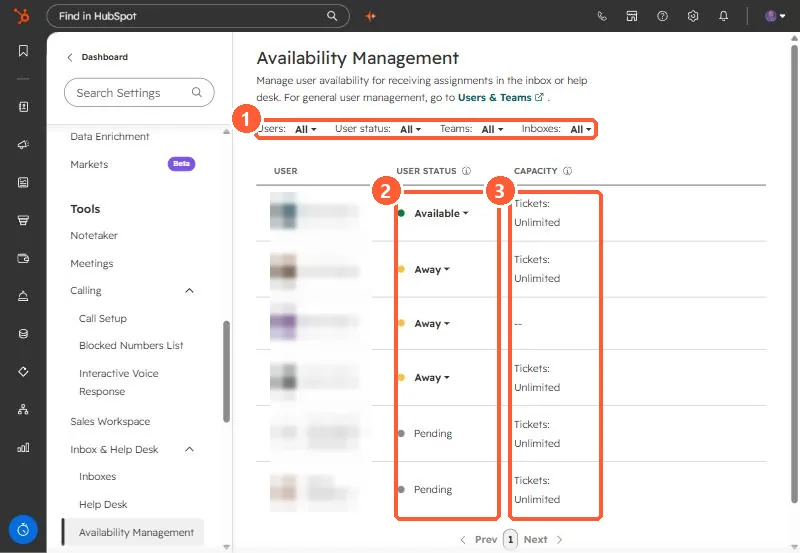
Availability Management with filters, user status, and ticket capacity columns highlighted
Filters (1), status (2), and capacity (3).

2. No one available

See bots and live chat handoff.

3. Related

Out of office.

Sources

New field notes by email

One email when a new article publishes.

Still stuck?

If this did not fix it, the problem is probably specific to your setup. Book a call and we will look at it together.

Book a call with Sam