Quick tipGotchaService HubMarketing Hub

Control when your chat widget appears

Prioritization ignores team availability.

Subscription
All tiers
Permissions
Chatflow permissions
Time
2 min · Intermediate
Last verified

Short answer

HubSpot's KB: set the chatflow's availability behavior, for example based on chat operating hours. With multiple chatflows, prioritization doesn't check team availability when picking which one to show. To hide chat on mobile, add a targeting exclusion rule.

1. In HubSpot

The relevant screen in my demo portal.
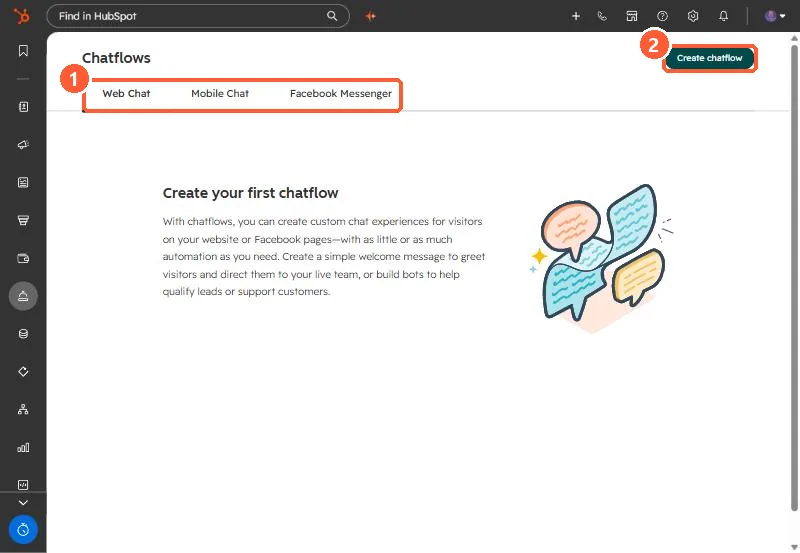
Chatflows page with Web Chat, Mobile Chat and Facebook Messenger tabs and Create chatflow button
Chat channels (1) and Create chatflow (2).

2. Worth knowing

Bots have their own availability preferences; check both when chat shows at odd times.

3. Related

Chat availability and bot to live chat.

Sources

New field notes by email

One email when a new article publishes.

Still stuck?

If this did not fix it, the problem is probably specific to your setup. Book a call and we will look at it together.

Book a call with Sam