Quick tipHow toRevenue Hub

Ways to collect payments in HubSpot

Set up HubSpot payments or Stripe first.

Subscription
Starter and above
Permissions
Payments access
Time
2 min · Beginner
Last verified

Short answer

HubSpot's KB: set up HubSpot payments or Stripe before collecting online. Then collect through invoices, payment links, quotes or subscriptions; buyers pay at checkout. Payments processed elsewhere can be recorded manually.

1. In HubSpot

The relevant screen in my demo portal.
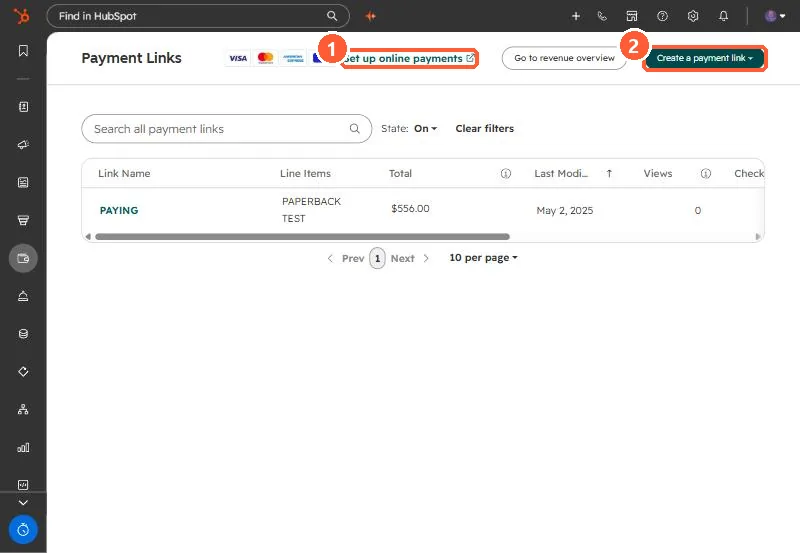
Payment Links list with Set up online payments link and Create a payment link button
Set up online payments (1) and Create a payment link (2).

2. Worth knowing

Check processing setup first when buyers can't pay.

3. Related

Payment link defaults and payouts.

Sources

New field notes by email

One email when a new article publishes.

Still stuck?

If this did not fix it, the problem is probably specific to your setup. Book a call and we will look at it together.

Book a call with Sam