Quick tipHow toMarketing HubContent Hub

Style the cookie consent banner

Customize in Consent Banner Options.

Subscription
All tiers with the banner
Permissions
Website settings permission
Time
2 min · Beginner
Last verified

Short answer

HubSpot's KB: in Consent Banner Options > Customize, set the banner's position (Center, Bottom, Bottom Left, Bottom Right or Top), shape, colors and button style. You can preview one banner at a time, but style changes apply to all.

1. In HubSpot

The relevant screen in my demo portal.
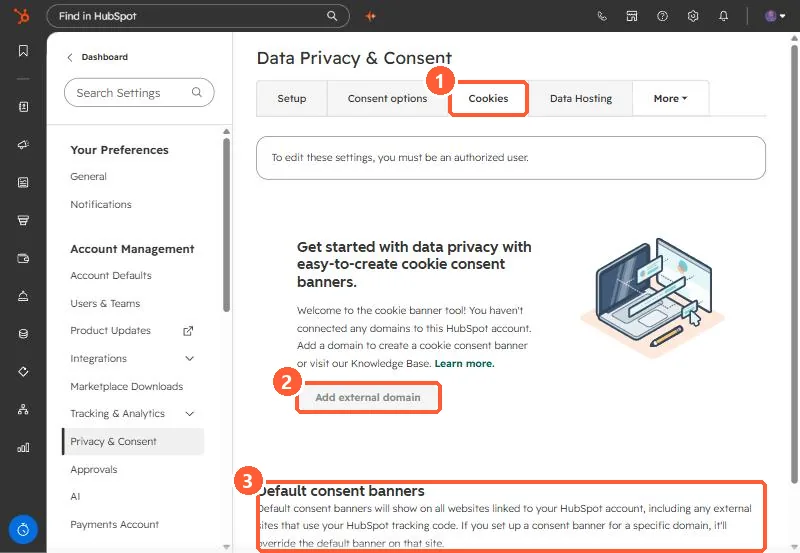
Cookies tab with Add external domain and the Default consent banners section highlighted
The Cookies tab (1), Add external domain (2), and default consent banners (3).

2. Worth knowing

Banner text and consent behavior are set separately from styling.

3. Related

Cookie banner setup.

Sources

New field notes by email

One email when a new article publishes.

Still stuck?

If this did not fix it, the problem is probably specific to your setup. Book a call and we will look at it together.

Book a call with Sam