Short answer
In Privacy & Consent, Cookies, default consent banners show on all websites linked to your account, including external sites that use your HubSpot tracking code. A banner set up for a specific domain overrides the default on that site. HubSpot needs to verify a domain before you add a banner with the new editor. My demo has no domains connected yet, so the page offers Add external domain.
1. The Cookies tab
Open Privacy & Consent, Cookies.
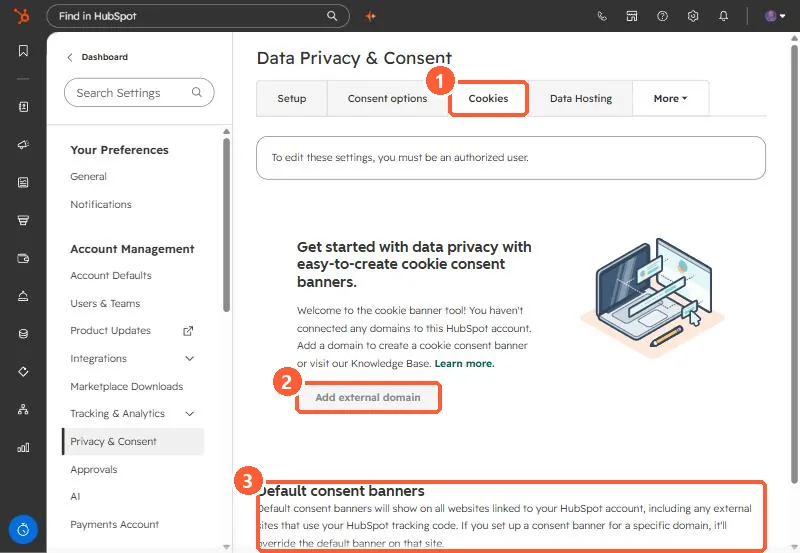
2. Default vs domain banners
- Default banners show on every site linked to your account, including external sites with your tracking code.
- Domain banners override the default for that domain.
- HubSpot says the banner works for HubSpot pages and external pages with the tracking code. To check a site has the code, see detect the HubSpot tracking code.
- Accounts created after November 2022 have the v2 editor. Older accounts are being migrated.
3. Related setting
Turning off data privacy settings does not turn off the banner. See data privacy settings.