Quick tipHow toMarketing Hub

Get a daily digest of spam form submissions

On by default for email.

Subscription
All tiers
Permissions
Forms settings
Time
2 min · Beginner
Last verified

Short answer

HubSpot's KB: the digest summarizes spam submissions from the previous 24 hours. Choose users or teams under Receive a daily spam submission digest. Email notifications are on by default; pop-up, browser and bell are optional.

1. In HubSpot

The relevant screen in my demo portal.
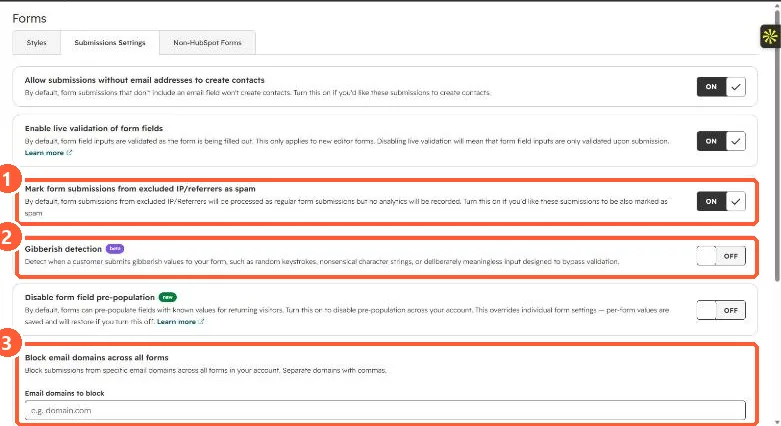
Forms Submissions Settings tab with switches for excluded IP spam marking and gibberish detection and a Block email domains across all forms field
Excluded IP spam marking (1), gibberish detection (2), and blocked domains (3).

2. Worth knowing

Use it to spot legitimate submissions caught as spam.

3. Related

Blocking form spam.

Sources

New field notes by email

One email when a new article publishes.

Still stuck?

If this did not fix it, the problem is probably specific to your setup. Book a call and we will look at it together.

Book a call with Sam