Quick tipHow toData Hub

Data sync field mappings: what syncs, which way

Default mappings come with the app. Custom ones need Data Hub Starter.

Subscription
Data Hub Starter and up for custom mappings
Permissions
App Marketplace access
Time
4 min · Intermediate
Last verified

Short answer

HubSpot's KB: every data sync app has field mappings that decide which data syncs and in which direction. Not all dropdown properties can sync two-way; some map one way as text. Owners sync by email address and must exist as users in both apps. If the other app has one name field, the first word maps to First Name, and both First and Last Name mappings must be on.

1. Data integration

The data integration page in my demo portal.
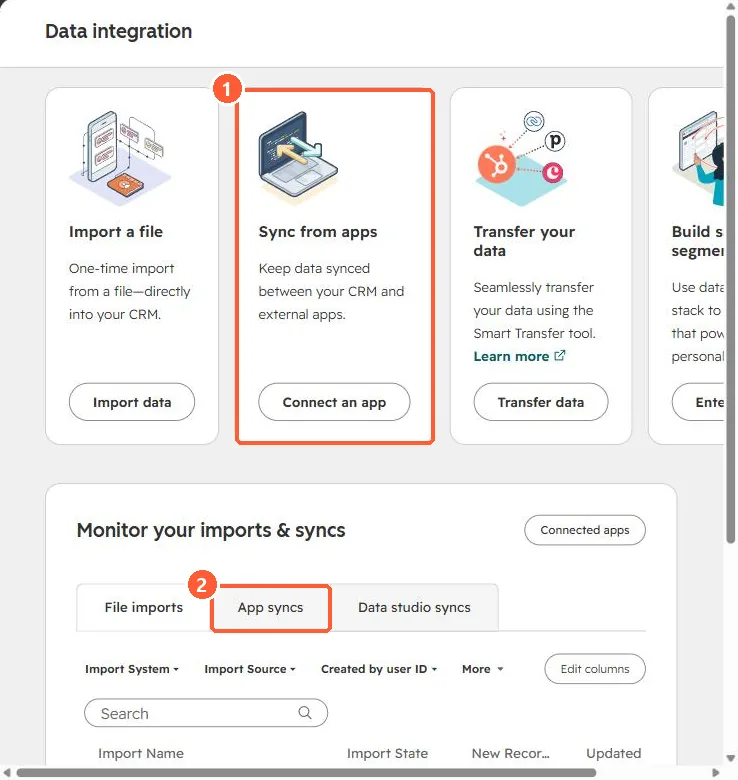
Data integration page with Sync from apps card and App syncs tab
Sync from apps (1) and App syncs (2).

2. Field not listed

Check the type rules in the KB: a field only maps to compatible HubSpot property types.

3. Related

Stripe data sync.

Sources

New field notes by email

One email when a new article publishes.

Still stuck?

If this did not fix it, the problem is probably specific to your setup. Book a call and we will look at it together.

Book a call with Sam