Short answer
HubSpot's KB lists what the Stripe sync maps: Customers to Contacts (bi-directional), Invoices to Invoices (one-way from Stripe), Products to Products (one-way), and Subscriptions to custom objects (one-way). Using Stripe as your payment processor in HubSpot is separate: payments are collected through HubSpot's tools and processed by Stripe.
1. Where syncs live
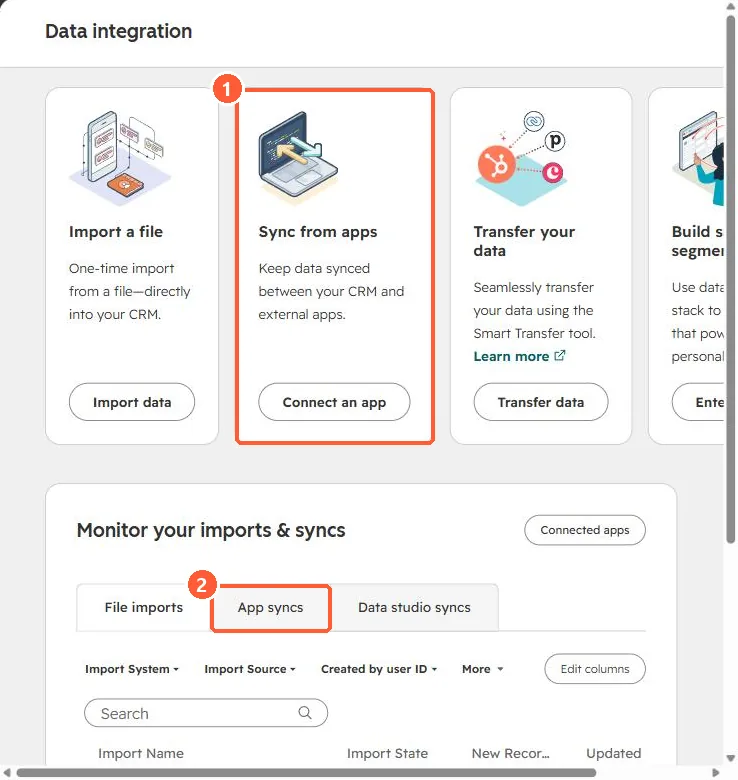
App syncs are monitored from Data integration in my demo portal.
2. Watch for
- Bi-directional contacts: changes in HubSpot write back to Stripe customers.
- Product IDs: plan how Stripe prices map to HubSpot products before syncing.
3. Related
Payment links and QuickBooks invoices.