Quick tipHow toSales Hub

Change your default From address for one-to-one emails

Doesn't apply to replies or inbox sends.

Subscription
All tiers
Permissions
Connected inbox
Time
2 min · Beginner
Last verified

Short answer

HubSpot's KB: with multiple addresses connected, set a default used for new one-to-one emails. It doesn't apply to replies or inbox and help desk emails.

1. In HubSpot

The relevant screen in my demo portal.
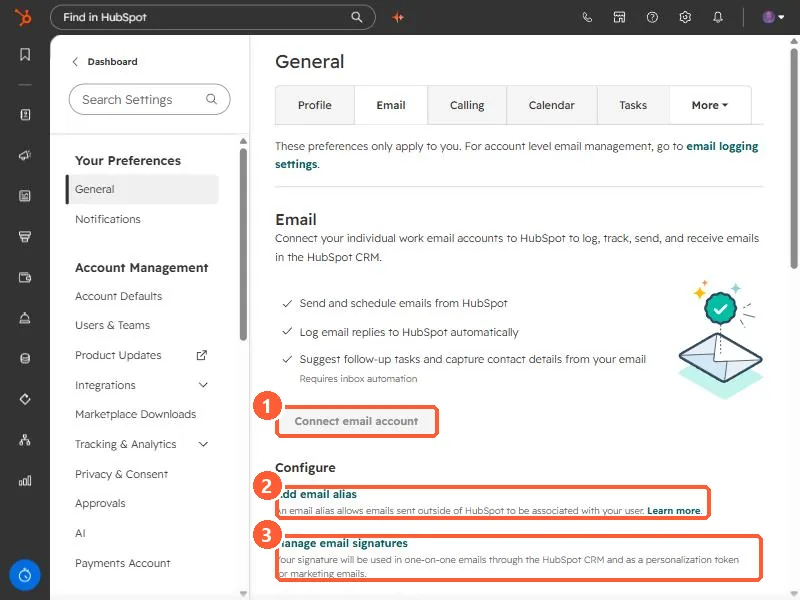
Personal Email preferences with Connect email account, Add email alias, and Manage email signatures highlighted
Connect email account (1), Add email alias (2), and Manage email signatures (3).

2. Worth knowing

You can still change the From on each email.

3. Related

Inbox setup and sending as owner.

Sources

New field notes by email

One email when a new article publishes.

Still stuck?

If this did not fix it, the problem is probably specific to your setup. Book a call and we will look at it together.

Book a call with Sam