Quick tipHow toMarketing Hub

Delete contacts who marked your emails as spam

They're already excluded from sends.

Subscription
All tiers with marketing email
Permissions
Delete contacts
Time
2 min · Intermediate
Last verified

Short answer

HubSpot's KB: contacts who marked your emails as spam are dropped from future emails automatically. To remove them, create a segment of spam reporters for a rolling timeframe, then delete in bulk. Spam reports hurt your sending reputation and can lead to a suspension.

1. In HubSpot

The relevant screen in my demo portal.
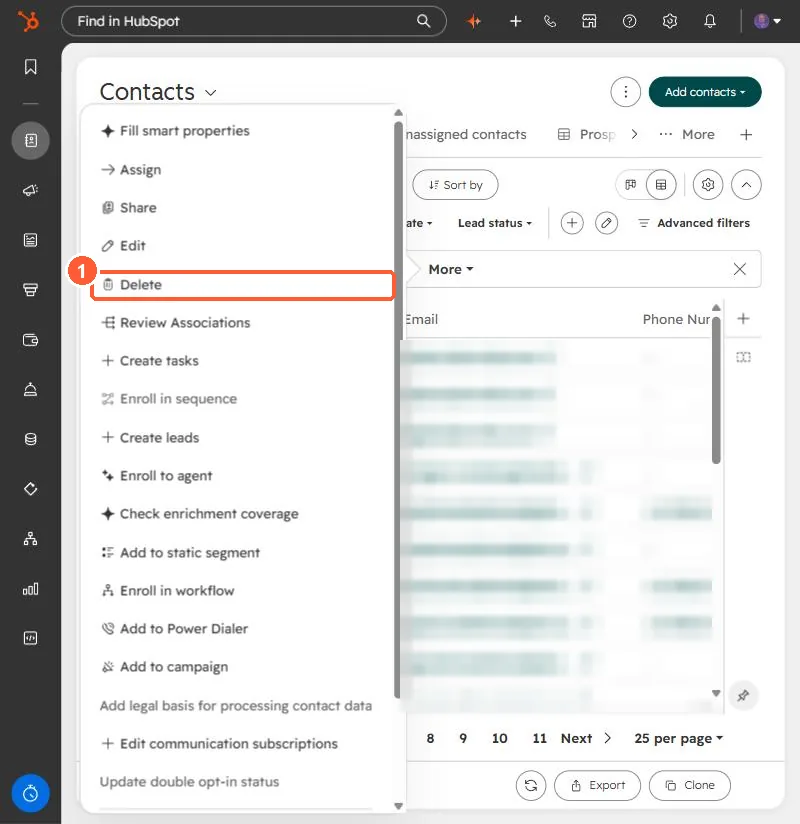
Contacts bulk actions menu with Delete
Delete (1).

2. Worth knowing

Deletion is optional; it mainly keeps your marketing contact count down.

3. Related

Spam checklist and bulk delete.

Sources

New field notes by email

One email when a new article publishes.

Still stuck?

If this did not fix it, the problem is probably specific to your setup. Book a call and we will look at it together.

Book a call with Sam