Quick tipGotchaSmart CRM

Delete your own HubSpot user account

Removing access doesn't delete the login.

Subscription
All tiers
Permissions
Any user for their own login; Super Admin to remove others
Time
2 min · Beginner
Last verified

Short answer

HubSpot's KB: removing someone from an account stops their access, but the user tied to the email address still exists. You can permanently delete your own user when it isn't associated with any other HubSpot account. Deleting it also deletes Academy certifications on that email, so transfer them first.

1. In HubSpot

The relevant screen in my demo portal.
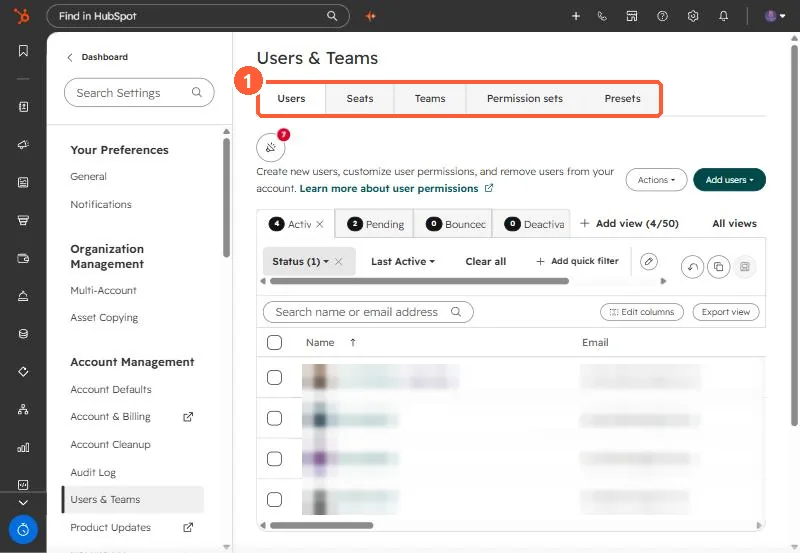
Users and Teams settings with Users, Seats, Teams, Permission sets and Presets tabs
The tabs that matter here (1).

2. Worth knowing

A user's default meeting link can't be deleted or transferred. Ask them to turn off scheduling pages before deactivating.

3. Related

Users and Super Admins.

Sources

New field notes by email

One email when a new article publishes.

Still stuck?

If this did not fix it, the problem is probably specific to your setup. Book a call and we will look at it together.

Book a call with Sam