Quick tipHow toSmart CRM

See the records behind a dashboard number

Click a data point to list the records behind it.

Subscription
All tiers with dashboards
Permissions
Reports access
Time
2 min · Beginner
Last verified

Short answer

HubSpot's KB: click a data point on a dashboard report to open the records or pages behind that metric. Use Group data at the top of the dialog to split it by a property, for example one rep's closed revenue grouped by pipeline.

1. In HubSpot

The relevant screen in my demo portal.
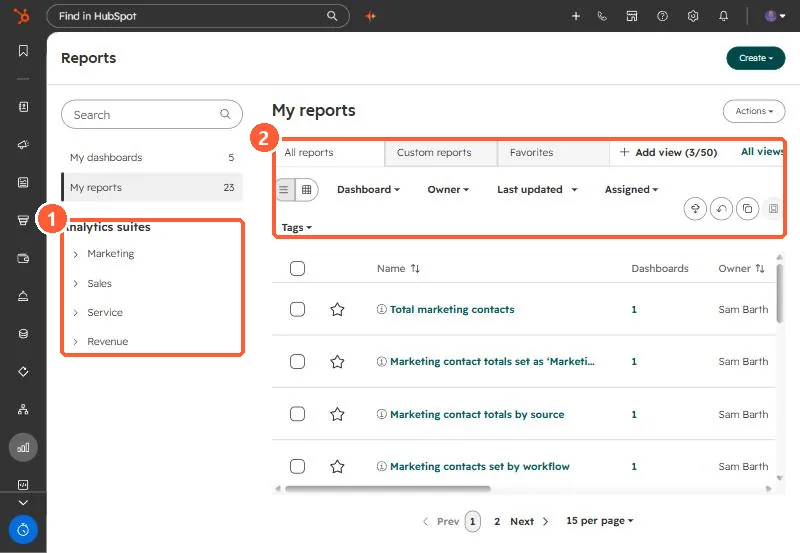
Reports list with My dashboards, My reports, Analytics suites, and All reports, Custom reports, Favorites tabs
Analytics suites (1) and the report tabs and filters (2).

2. Worth knowing

The dashboard name menu at the upper left switches to another dashboard without leaving the page.

3. Related

Exporting reports and dashboards on mobile.

Sources

New field notes by email

One email when a new article publishes.

Still stuck?

If this did not fix it, the problem is probably specific to your setup. Book a call and we will look at it together.

Book a call with Sam