Quick tipFix itMarketing Hub

Email sending domain won't verify

Hostnames without the domain.

Subscription
All tiers
Permissions
Domain settings access
Time
2 min · Intermediate
Last verified

Short answer

HubSpot's KB: DNS changes take time to propagate. Enter host(name) values without the domain, since some DNS providers append it and create a duplicated root domain. Check with tools like Dig. The DKIM CNAME records follow the DKIM protocol.

1. In HubSpot

The relevant screen in my demo portal.
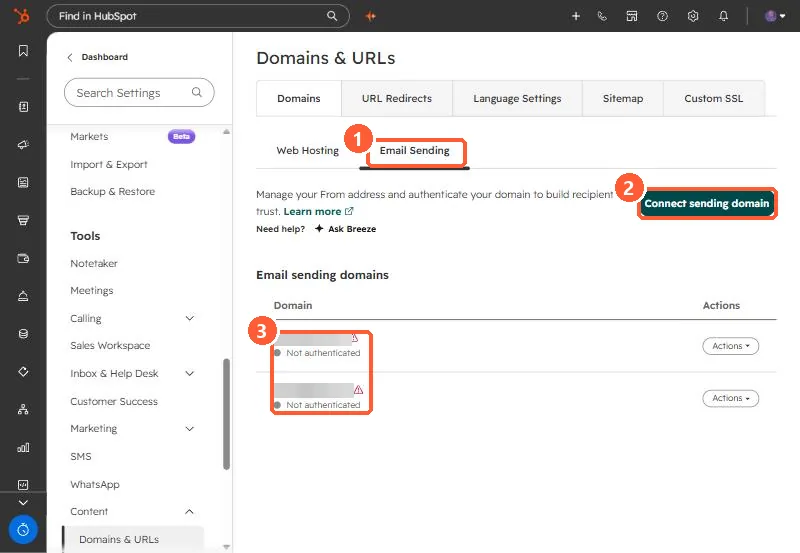
Domains and URLs Email Sending tab with Connect sending domain button and two domains not authenticated
Email Sending (1), Connect sending domain (2), and the status (3).

2. Worth knowing

A duplicated root domain in the host field is the error to look for first.

3. Related

Connecting a sending domain and DMARC.

Sources

New field notes by email

One email when a new article publishes.

Still stuck?

If this did not fix it, the problem is probably specific to your setup. Book a call and we will look at it together.

Book a call with Sam