Quick tipHow toSales Hub

Export tasks to a spreadsheet

Exports the tasks in the view you pick.

Subscription
All tiers
Permissions
Export permission
Time
2 min · Beginner
Last verified

Short answer

HubSpot's KB: export the tasks in a selected view. The file includes task properties and association names. Under Customize, choose options like all associated records instead of the first 1,000.

1. In HubSpot

The relevant screen in my demo portal.
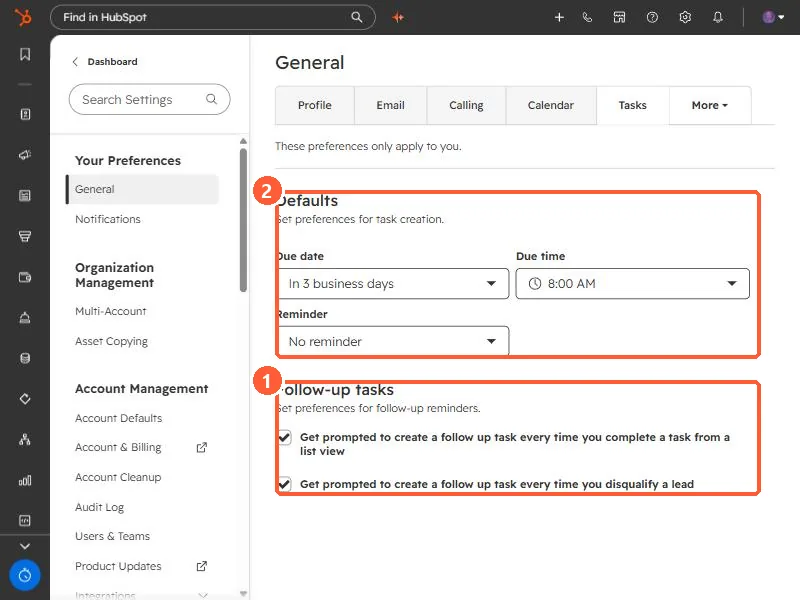
Tasks preferences with Follow-up tasks checkboxes and default due date, time and reminder
Follow-up prompts (1) and task defaults (2).

2. Worth knowing

Build a view with the filters you want first; the export follows the view.

3. Related

Task defaults.

Sources

New field notes by email

One email when a new article publishes.

Still stuck?

If this did not fix it, the problem is probably specific to your setup. Book a call and we will look at it together.

Book a call with Sam