Quick tipFix itMarketing Hub

Facebook ad account won't appear when connecting

You must be an ad account admin.

Subscription
All tiers
Permissions
Ads access
Time
2 min · Intermediate
Last verified

Short answer

HubSpot's KB: ad blockers commonly break the ads tool. You must be an admin on the Facebook ad account. Accounts with billing issues or policy violations show as Inactive. Removing the HubSpot integration in Facebook disconnects it from every HubSpot account.

1. In HubSpot

The relevant screen in my demo portal.
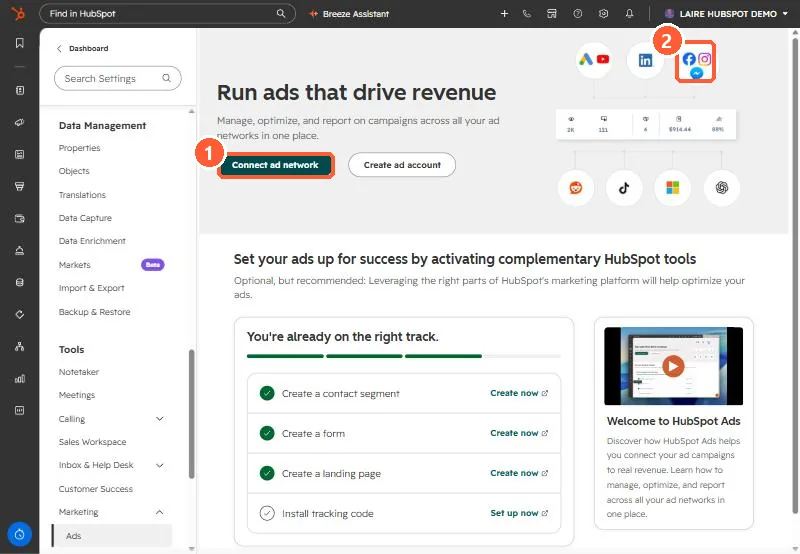
Ads settings page with Connect ad network button and ad network icons including Meta
Connect ad network (1) and the Meta icon (2).

2. Worth knowing

Log in to Facebook as the right user before reconnecting.

3. Related

Connecting Facebook ads and disconnecting.

Sources

New field notes by email

One email when a new article publishes.

Still stuck?

If this did not fix it, the problem is probably specific to your setup. Book a call and we will look at it together.

Book a call with Sam