Quick tipHow toService HubMarketing Hub

Bring Facebook Messenger into the HubSpot inbox

Messages to your Facebook page show up in the inbox.

Subscription
Check inbox channel tiers
Permissions
Inbox settings access
Time
3 min · Beginner
Last verified

Short answer

HubSpot's KB: connect the Facebook Messenger channel to add a chatflow to your Facebook Business page; messages sent to the business on Facebook appear in your inbox. After connecting, the page is listed in inbox settings with its status switch on.

1. Channels

Inbox channels in my demo portal.
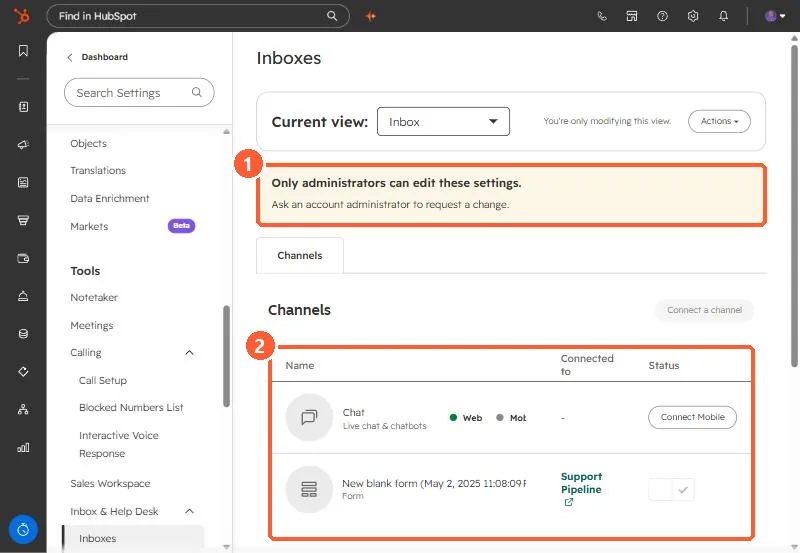
Inboxes settings with the admin banner and the channels table highlighted
Admin banner (1) and channels (2).

2. Website chat

See website chatflows.

3. Related

WhatsApp.

Sources

New field notes by email

One email when a new article publishes.

Still stuck?

If this did not fix it, the problem is probably specific to your setup. Book a call and we will look at it together.

Book a call with Sam