Quick tipHow toContent Hub

Set your website favicon in HubSpot

The favicon comes from the brand kit and only applies to HubSpot-hosted content.

Subscription
All CMS tiers
Permissions
Brand settings access
Time
2 min · Beginner
Last verified

Short answer

HubSpot's KB: on the Brand Kit tab, click Add Favicon. The favicon is the small image in the browser tab and only applies to content hosted on HubSpot. With the Brands add-on, set it per brand. Browsers cache favicons, so a change can take time to appear.

1. The brand kit

My demo portal has no favicon yet.
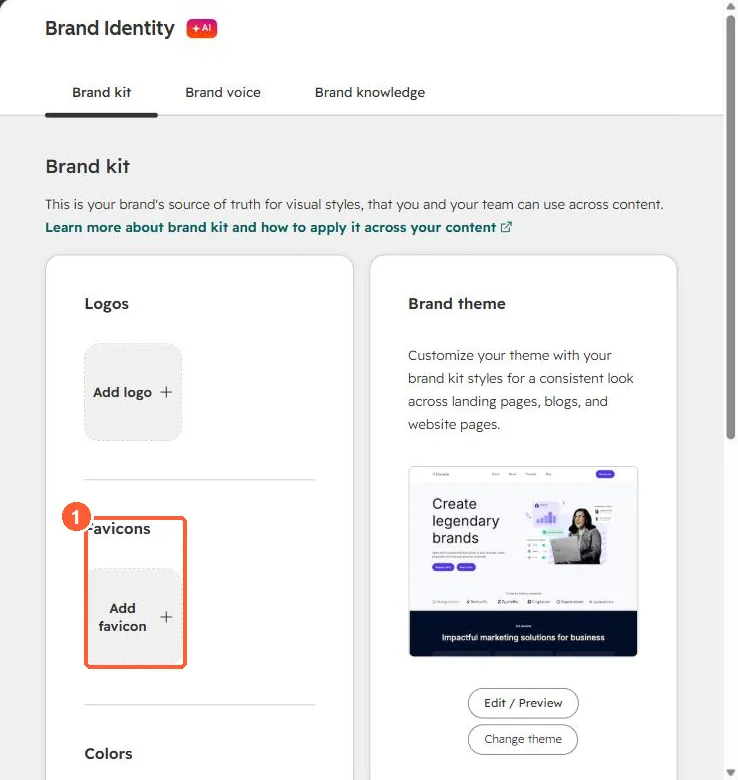
Brand kit with an empty Favicons slot
Favicons (1).

2. External sites

Sites not hosted on HubSpot set favicons in their own platform.

3. Related

Brand kit setup.

Sources

New field notes by email

One email when a new article publishes.

Still stuck?

If this did not fix it, the problem is probably specific to your setup. Book a call and we will look at it together.

Book a call with Sam