Quick tipHow toSmart CRM

Filter segments and reports by association label

Labels only pay off if you can filter on them.

Subscription
Professional or Enterprise to filter segments by labels
Permissions
Super Admin to create labels
Time
3 min · Intermediate
Last verified

Short answer

Once associations are labeled, HubSpot's KB says you can filter by them in segments (Professional or Enterprise), workflows and custom reports, where labels can be a filter, an axis or a breakdown. Some objects, such as line items, don't support custom labels. Creating labels needs Super Admin.

1. Labels per object pair

Contact to company labels in my demo portal's data model.
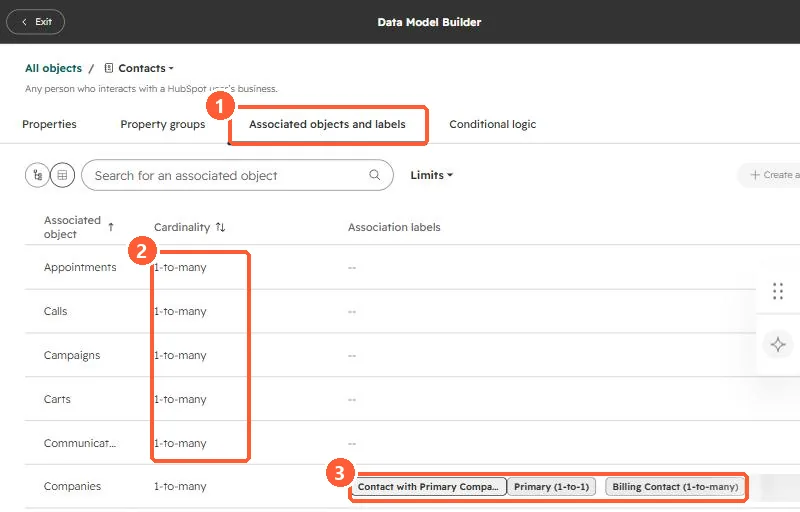
Data model showing associated objects, cardinality and contact to company labels
The tab (1), cardinality (2), and labels (3).

2. Examples

  • Contacts labeled Billing contact at customer companies.
  • Deals where a contact is labeled Decision maker.

3. Related

Association labels and company-based contact segments.

Sources

New field notes by email

One email when a new article publishes.

Still stuck?

If this did not fix it, the problem is probably specific to your setup. Book a call and we will look at it together.

Book a call with Sam