Quick tipHow toMarketing Hub

Sync LinkedIn Lead Gen Form leads into HubSpot

Email must be a required field or HubSpot can't create the contact.

Subscription
Ads tool; check your tier
Permissions
Ads access in HubSpot; LinkedIn page admin role
Time
3 min · Intermediate
Last verified

Short answer

HubSpot's KB: to sync LinkedIn leads you need to be a Super admin, Content Admin or Lead Gen Forms Manager on the LinkedIn Business Page. Make Email a required field so HubSpot can create contacts. For Facebook and LinkedIn you can pick a sync timeframe. Once synced, use the leads in workflows like any form source.

1. Ads settings

Ads settings in my demo portal.
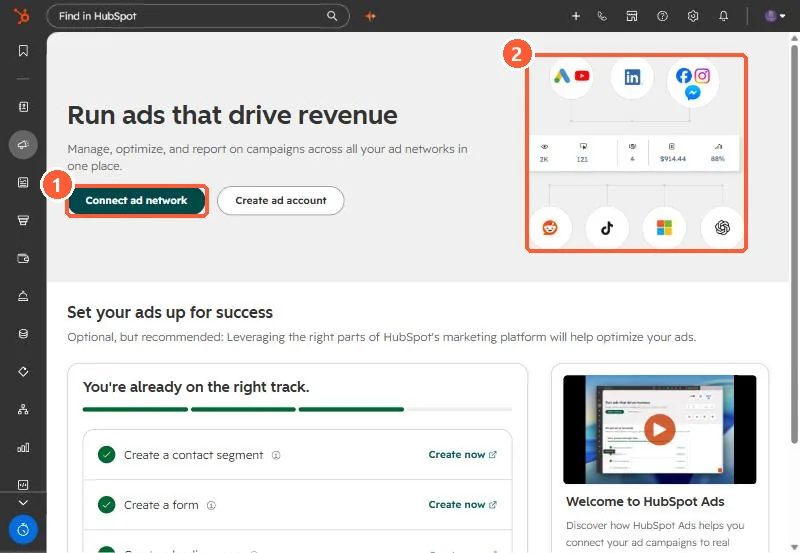
Ads onboarding page with Connect ad network and network icons
Connect ad network (1) and the supported networks (2).

2. Facebook

See Facebook lead ads.

3. Related

Connecting ad accounts.

Sources

New field notes by email

One email when a new article publishes.

Still stuck?

If this did not fix it, the problem is probably specific to your setup. Book a call and we will look at it together.

Book a call with Sam