Quick tipHow toMarketing Hub

Manage forms from the forms index

Export, clone, unpublish or delete.

Subscription
All tiers; compare forms Professional+
Permissions
View forms; Edit forms to change
Time
2 min · Beginner
Last verified

Short answer

HubSpot's KB: from the forms index, export data or clone, unpublish or delete forms (Edit forms permission). Customize columns and save views. Comparing forms needs Marketing Hub Professional or Enterprise.

1. In HubSpot

The relevant screen in my demo portal.
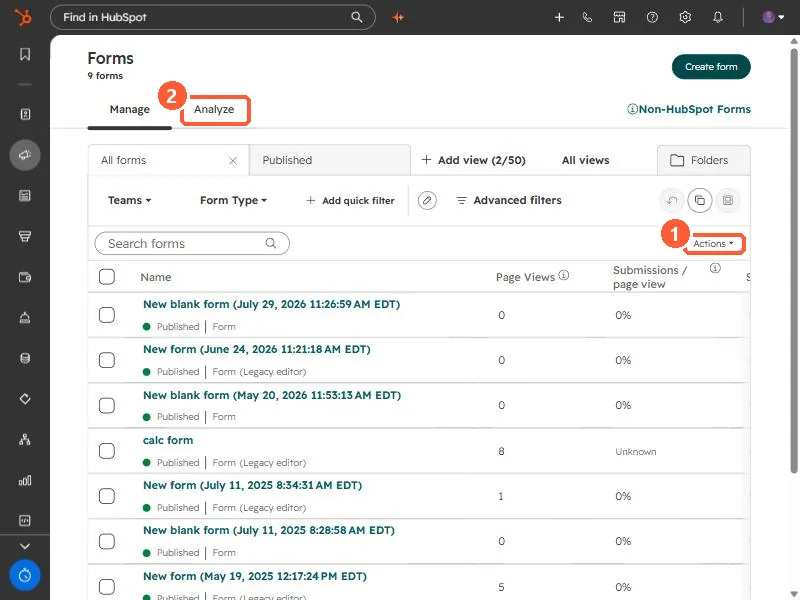
Forms list with Actions menu and Analyze tab
Actions (1) and Analyze (2).

2. Worth knowing

Unpublish rather than delete if the form still has useful submissions.

3. Related

Unpublishing a form and exporting submissions.

Sources

New field notes by email

One email when a new article publishes.

Still stuck?

If this did not fix it, the problem is probably specific to your setup. Book a call and we will look at it together.

Book a call with Sam