Short answer
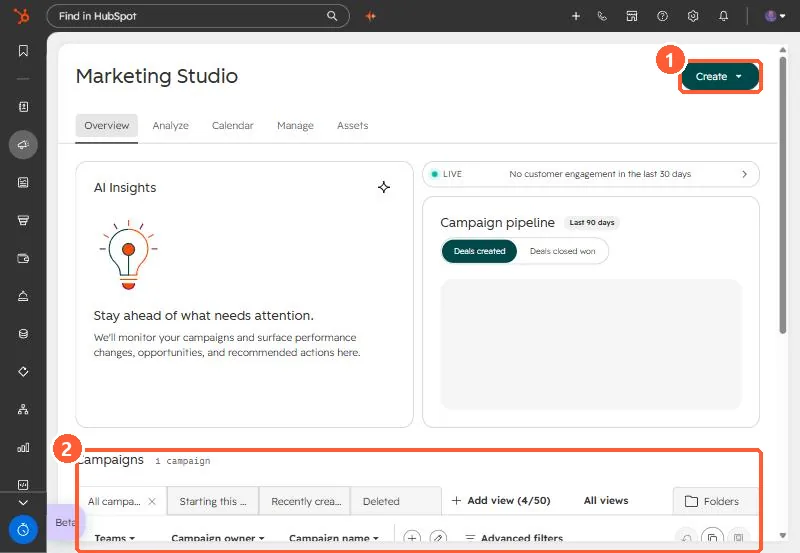
In my demo portal the campaigns link redirects to Marketing Studio, with Overview, Analyze, Calendar, Manage and Assets tabs. A HubSpot campaign groups assets (emails, blog posts, landing pages, social posts, ad campaigns and more) so you can report on them together. Campaigns need Marketing Hub Professional or Enterprise. Marketing Studio needs the AI setting that gives users access to generative AI tools turned on, and associating an asset needs edit permission for that asset.
1. Where campaigns live
Opening Campaigns in my demo portal lands on Marketing Studio. The campaigns list sits under the overview.
2. What a campaign holds
Budget, goals, and associated assets. You can add existing assets from the campaign, or pick the campaign inside each asset's editor. A campaign is not the same as a utm_campaign value, and HubSpot campaigns do not sync to Salesforce campaigns.
3. Prerequisites that block people
- Marketing Studio requires the Give users access to generative AI tools and features AI setting. See AI access settings.
- Associating an asset needs edit permission for that asset type, for example sequences.
If a campaign shows contacts but no sessions, see campaign shows zero sessions.