Quick tipHow toContent Hub

Edit your website's navigation menu

Manage links in Navigation menus; templates choose which menu shows.

Subscription
All CMS tiers
Permissions
Website Settings permission
Time
3 min · Beginner
Last verified

Short answer

HubSpot's KB: create menus in Settings > Content > Navigation menus or in the global content editor. Menus can have parent and child items. Editing in settings needs Website Settings permission; in the global content editor, Global content and theme settings permission.

1. The menu editor

Navigation menus in my demo portal.
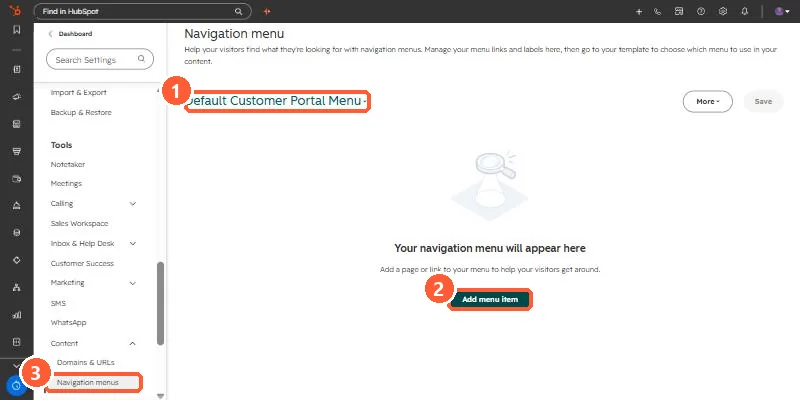
Navigation menu settings with a menu selector, Add menu item button, and Navigation menus in the sidebar
Menu selector (1), Add menu item (2), and the settings link (3).

2. Per page

Templates and global modules decide where a menu appears. See global modules.

3. Related

Theme templates.

Sources

New field notes by email

One email when a new article publishes.

Still stuck?

If this did not fix it, the problem is probably specific to your setup. Book a call and we will look at it together.

Book a call with Sam