Quick tipFix itMarketing Hub

Non-HubSpot form contacts not reaching Mailchimp

Required merge tags block the sync.

Subscription
Check app requirements
Permissions
App Marketplace access
Time
2 min · Intermediate
Last verified

Short answer

HubSpot's KB: the usual cause is required merge tags in the Mailchimp audience. HubSpot generally doesn't send merge tag values but always syncs the email address. Viewing sync settings needs App Marketplace access.

1. In HubSpot

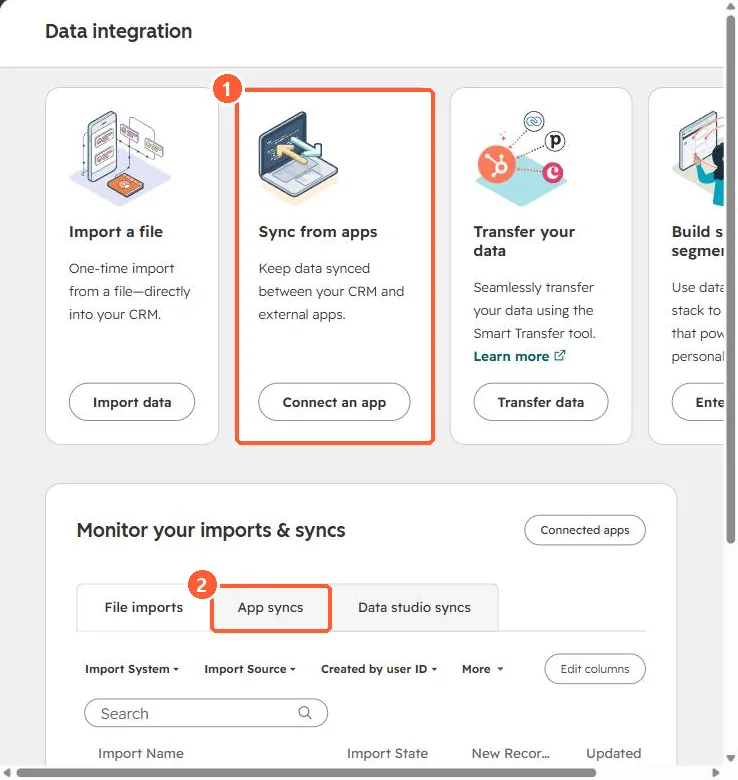
The relevant screen in my demo portal.
Data integration page with Sync from apps card and App syncs tab
Sync from apps (1) and App syncs (2).

2. Worth knowing

Check the audience settings in Mailchimp, not HubSpot.

3. Related

Data sync.

Sources

New field notes by email

One email when a new article publishes.

Still stuck?

If this did not fix it, the problem is probably specific to your setup. Book a call and we will look at it together.

Book a call with Sam