Quick tipHow toSmart CRM

Change how dates and numbers display for you

Your format setting changes your view, not tokens in emails.

Subscription
All tiers
Permissions
Your own user
Time
2 min · Beginner
Last verified

Short answer

HubSpot's KB: personal preferences apply only to your user. Switching language adjusts your date and number format automatically, and the Date, time, and number format dropdown sets it by region. Personalization tokens in marketing emails and workflows use the account default instead.

1. Your profile

Profile preferences in my demo portal, phone blurred.
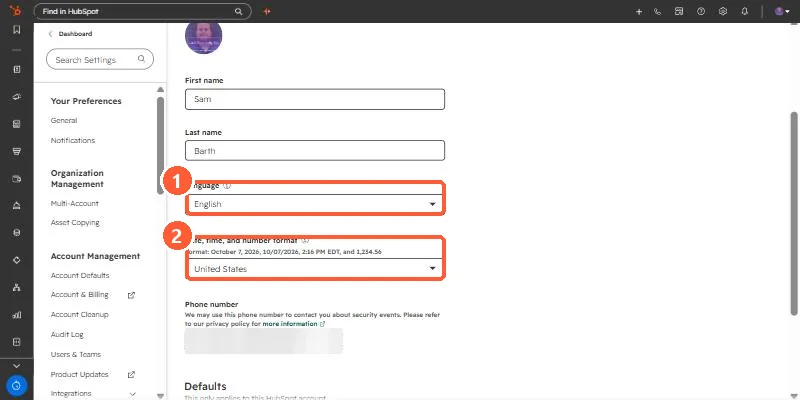
User profile preferences with Language and Date, time, and number format dropdowns
Language (1) and format (2).

2. Account defaults

See account defaults.

3. Related

Contact time zones.

Sources

New field notes by email

One email when a new article publishes.

Still stuck?

If this did not fix it, the problem is probably specific to your setup. Book a call and we will look at it together.

Book a call with Sam