Short answer
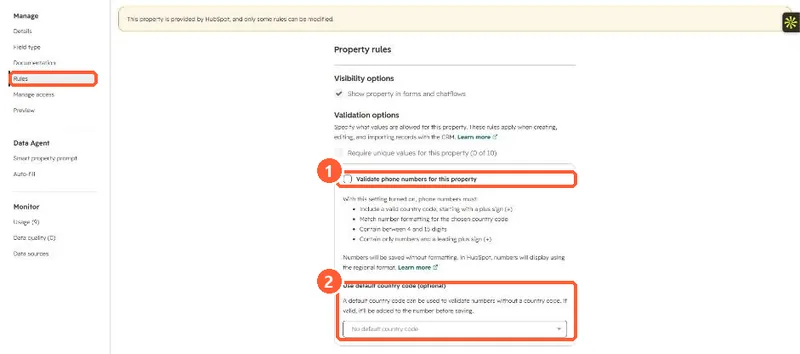
In the Phone Number property's Rules, Validate phone numbers for this property makes values follow E.164: a plus sign and valid country code, the right format and area code for that country, 4 to 15 digits, and extensions written as ext. Numbers are stored without formatting and shown in the regional format. A default country code is added to numbers entered without one. It works on the Phone number and Mobile phone number properties and custom phone number fields.
1. The rule
The Phone Number property in my demo portal, Rules section.
2. What gets rejected
HubSpot's example: +1 (123) 456-7890 is invalid because 123 is not a valid US area code. Once the rule is on, users cannot strip the formatting when editing.
3. Old numbers
Validation is for new and edited values. For existing records, a workflow with Validate and format phone number, then Edit record using the parsed output, rewrites them. Duplicates hidden by format differences are covered in phone format duplicates.