Quick tipHow toSmart CRM

Summarize a record with the Record summary card

Turn on CRM data in AI settings.

Subscription
Check your subscription
Permissions
AI access
Time
2 min · Beginner
Last verified

Short answer

HubSpot's KB: the Record summary card summarizes activities, notes and ownership. It needs CRM and Customer conversation data on in AI settings. It's on records by default unless views were customized. With Sensitive Data on, some activities can't be summarized.

1. In HubSpot

The relevant screen in my demo portal.
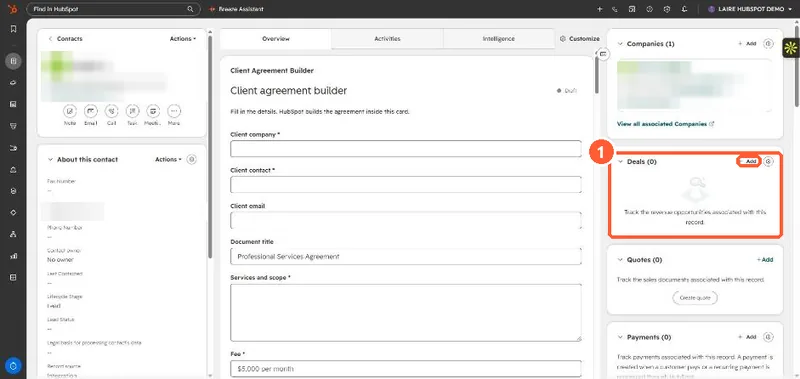
Contact record with the About section and right sidebar cards
The record (1).

2. Worth knowing

Verify key facts on the timeline before acting on a summary.

3. Related

Breeze Assistant.

Sources

New field notes by email

One email when a new article publishes.

Still stuck?

If this did not fix it, the problem is probably specific to your setup. Book a call and we will look at it together.

Book a call with Sam