Short answer
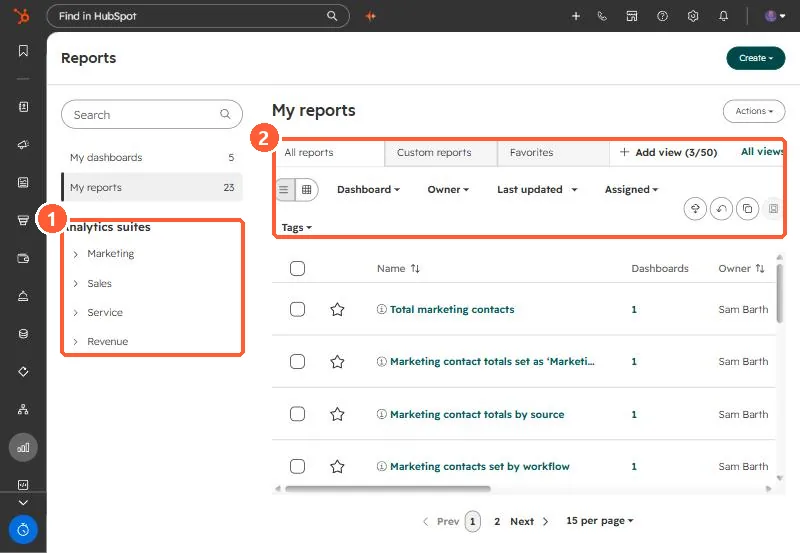
Reporting, Reports lists every saved report with tabs for All, Custom and Favorites, filters for dashboard, owner and tags, and list or grid view. Hover a report to change its owner, manage access (only for reports not on dashboards), or add it to a dashboard. The left sidebar holds the Analytics suites for Marketing, Sales, Service and Revenue, which you can also export from.
1. The list
My demo portal has 23 reports and 5 dashboards.
2. Keep it tidy
- Star reports you open often so they show in Favorites.
- Tag reports by team or purpose, then filter by tag.
- Change owner when someone leaves, so reports are not orphaned.
- Account Cleanup can delete unused reports. See Account Cleanup.
3. Analytics suites
The Marketing, Sales, Service and Revenue suites hold HubSpot's built-in analytics, such as web traffic analysis. Expand a suite and category to open a report and export it.