Quick tipHow toMarketing Hub

Resend a marketing email to people who didn't engage

Segment the non-engagers with an email event filter, then send a new version.

Subscription
All marketing email tiers
Permissions
Marketing email and segment access
Time
4 min · Intermediate
Last verified

Short answer

HubSpot's re-engagement guide uses an events-based filter: Marketing emails | [your email] | Email was sent to contact but they didn't click on a link. Use the same approach for non-openers. By default, HubSpot doesn't send to unengaged contacts, meaning recipients who haven't opened your last 11 marketing emails.

1. Recipients

Send to and Don't send to in my demo portal.
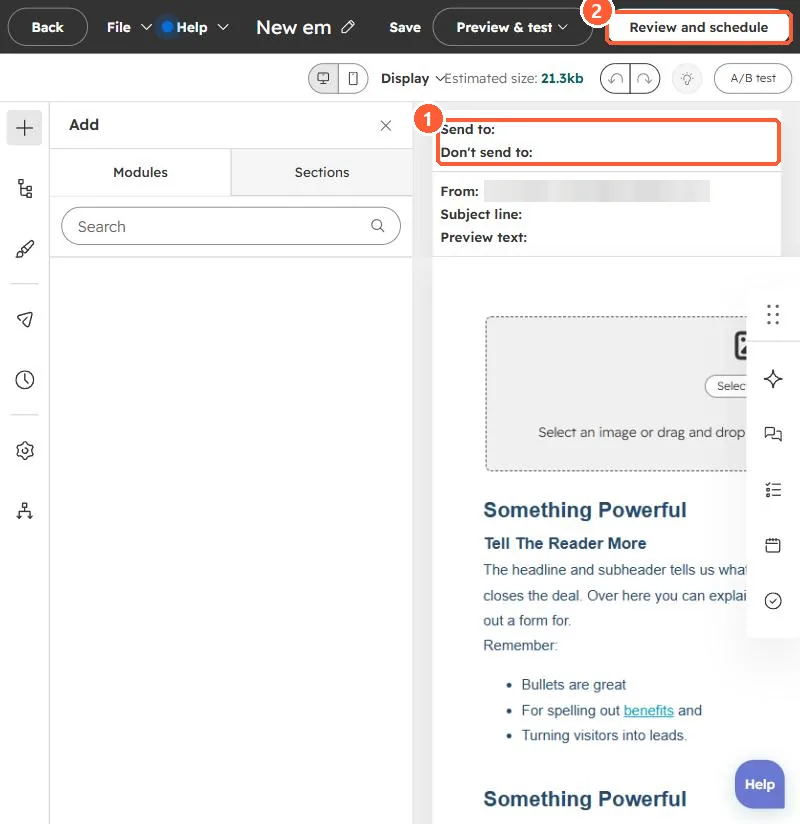
Marketing email editor with Send to and Don't send to fields and a Review and schedule button
Recipients (1) and Review and schedule (2).

2. Go easy

Resending to people who ignored the first email adds to graymail. See unengaged contacts.

3. Related

Engagement segments.

Sources

New field notes by email

One email when a new article publishes.

Still stuck?

If this did not fix it, the problem is probably specific to your setup. Book a call and we will look at it together.

Book a call with Sam