Short answer
Rotate record to owner assigns enrolled records evenly between chosen users or a team, on the owner property or any custom HubSpot user property. Users must be active with a Sales or Service Hub Professional or Enterprise seat. Core or view-only seats, and users who have not accepted their invite, are greyed out. For teams, only main team members with those seats are included. If the owner property syncs to Salesforce, HubSpot warns the action may not work as expected.
1. Find the action
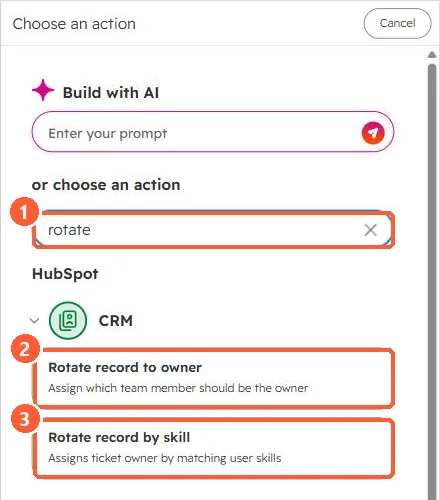
Searching the action picker for rotate in my demo portal shows Rotate record to owner and Rotate record by skill, which is for tickets.
2. Why someone is missing
- No Sales or Service Hub Professional or Enterprise seat.
- Invite not accepted.
- On the team as an extra member rather than a main member.
3. Notes
Each Rotate action keeps its own count, so two rotate actions in one workflow do not share a sequence. For bulk one-off assignment, see bulk assigning owners from a sheet. For meeting round robins, see meeting rotations.