Short answer
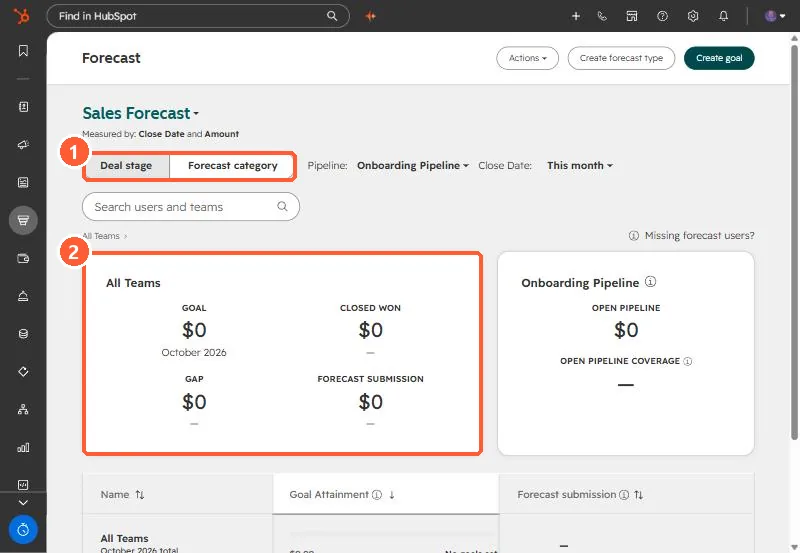
Sales, Forecast shows goal, closed won, gap and forecast submission per team, with a Deal stage or Forecast category view. HubSpot's default categories are Pipeline, Best case, Commit and Most likely, editable through the Forecast category property. The default forecast uses Amount and Close date, and Super Admins can add forecast types using other date and currency amount properties. Goal and Gap only fill in once forecastable goals exist.
1. The page
My demo portal shows $0 everywhere for the Onboarding Pipeline this month, because there are no goals or open deals in that pipeline.
2. Categories
Forecast categories group deals by likelihood to close. Edit them in Settings > Objects > Forecast, and map stages per pipeline on the Pipelines tab. Reps can override a deal's category on the record.
3. Submissions and types
- Click Submit in the Forecast submission column, choose pipeline and period, and enter an amount.
- Actions > Edit submission schedule sets when submissions are due.
- Actions > Manage forecast types adds forecasts on other date and currency properties, for example a renewal date.
- Submission history shows forecast accuracy over time.
Related: sales goals and deal stage probability.