Quick tipHow toSmart CRM

Sync Salesforce custom objects with HubSpot

HubSpot custom objects need at least one required field mapped.

Subscription
Check app requirements
Permissions
App Marketplace access
Time
3 min · Advanced
Last verified

Short answer

HubSpot's KB: after connecting Salesforce, sync custom objects to keep data consistent. On Field mappings, map a Salesforce field to the HubSpot required field; HubSpot custom objects need at least one. Association fields shown reflect Salesforce's setup. Removing a record from a Salesforce Campaign doesn't trigger a sync.

1. In HubSpot

The relevant screen in my demo portal.
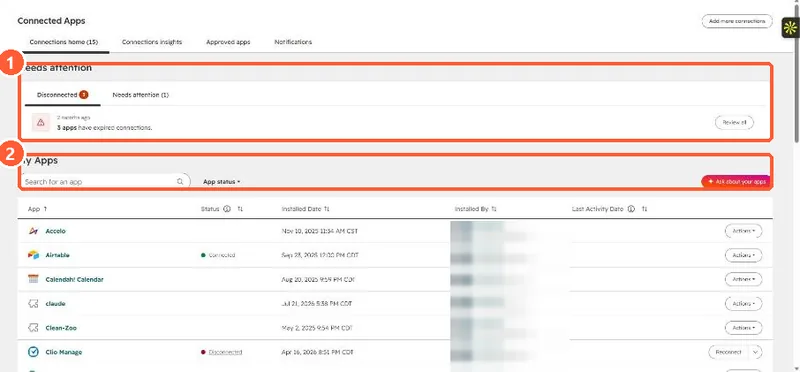
Connected Apps page with a Needs attention panel showing disconnected apps and the My Apps list
Needs attention (1) and installed apps (2).

2. Worth knowing

The KB notes a RecordType deletion caveat; read it before syncing RecordType objects.

3. Related

Salesforce sync rules.

Sources

New field notes by email

One email when a new article publishes.

Still stuck?

If this did not fix it, the problem is probably specific to your setup. Book a call and we will look at it together.

Book a call with Sam