Quick tipHow toMarketing Hub

Schedule social posts in HubSpot, with approval if you need it

Schedule posts from the same place as your campaigns, and require sign-off before they publish.

Subscription
Check your subscription for social approvals
Permissions
Social publish access
Time
3 min · Beginner
Last verified

Short answer

In Marketing > Social, create a post, then click Review & Schedule to check content, captions, campaign and timing for each account. Publish immediately, pick a time, or choose from your saved publishing times. Approvals route posts to an approver before publishing; approvers can act from the mobile app too.

1. The social tool

My demo portal has no social accounts connected, so the tool shows its intro.
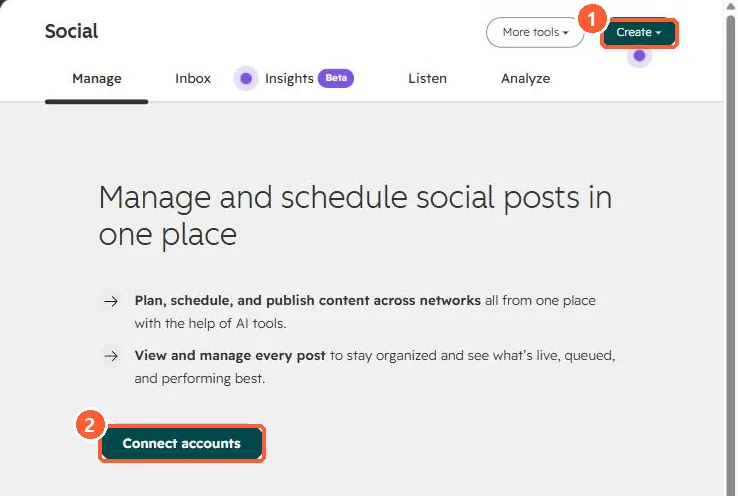
Social tool intro with Create button and Connect accounts
Create (1) and Connect accounts (2).

2. Approvals

Content approvals are covered in HubSpot content approvals.

3. Related

Connecting social accounts.

Sources

New field notes by email

One email when a new article publishes.

Still stuck?

If this did not fix it, the problem is probably specific to your setup. Book a call and we will look at it together.

Book a call with Sam