Quick tipGotchaSales HubService Hub

Schedule a one-to-one email to send later

Scheduled emails can't be edited.

Subscription
All tiers; best time Sales Hub Professional+
Permissions
Connected inbox
Time
2 min · Beginner
Last verified

Short answer

HubSpot's KB: schedule up to 6 months ahead. Once scheduled, an email can't be edited, only deleted and replaced. Don't use the tab key to pick send options, or tracking isn't added. Best time to send needs Sales Hub Professional or Enterprise.

1. In HubSpot

The relevant screen in my demo portal.
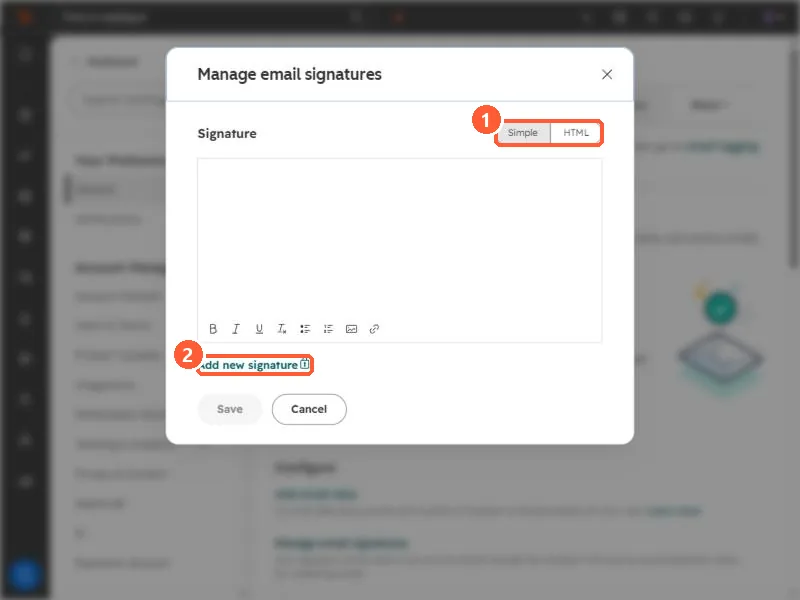
Manage email signatures dialog with the Simple and HTML toggle and Add new signature highlighted
Simple or HTML editor (1) and Add new signature (2).

2. Worth knowing

Proofread before scheduling, since fixes mean starting over.

3. Related

One-to-one emails.

Sources

New field notes by email

One email when a new article publishes.

Still stuck?

If this did not fix it, the problem is probably specific to your setup. Book a call and we will look at it together.

Book a call with Sam