Short answer
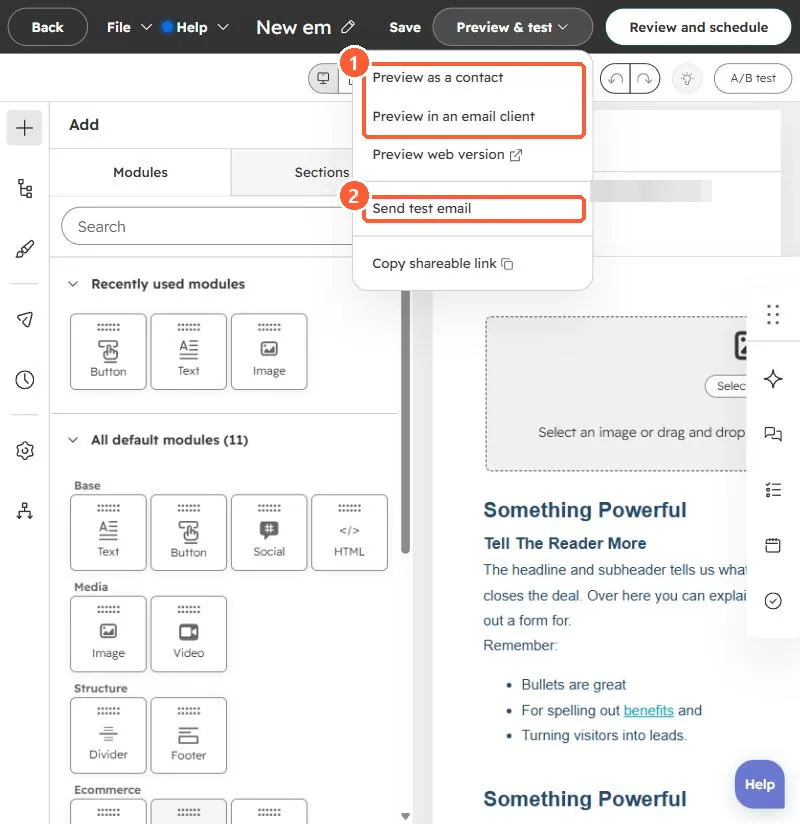
Use Preview & test in the email editor: Preview as a contact, Preview in an email client, Preview web version, and Send test email. In the test dialog you can pick a contact to send it as. HubSpot's KB says the test arrives from noreply@hubspot.com with the from name Marketing Email Preview Send, so do not judge your From name from a test.
1. The menu
My demo portal's email editor, Preview & test menu open.
2. What to check
- Personalization tokens and their defaults. See token defaults.
- Smart content for different contacts. See smart content.
- Links and the footer address. See footer address.
3. Share for review
Copy shareable link lets reviewers see a preview without logging in.