Manual enrollment: your inbox. Someone else's: use a workflow.
Subscription
Sales Hub or Service Hub Professional or Enterprise
Permissions
Sequences access
Time
3 min · Intermediate
Last verified
Short answer
HubSpot's KB: when you enroll manually, you must choose one of your own connected email accounts. To send on behalf of another user, use a workflow. Each contact can be in one sequence at a time, and users have a daily sequence email limit.
1. Connected email
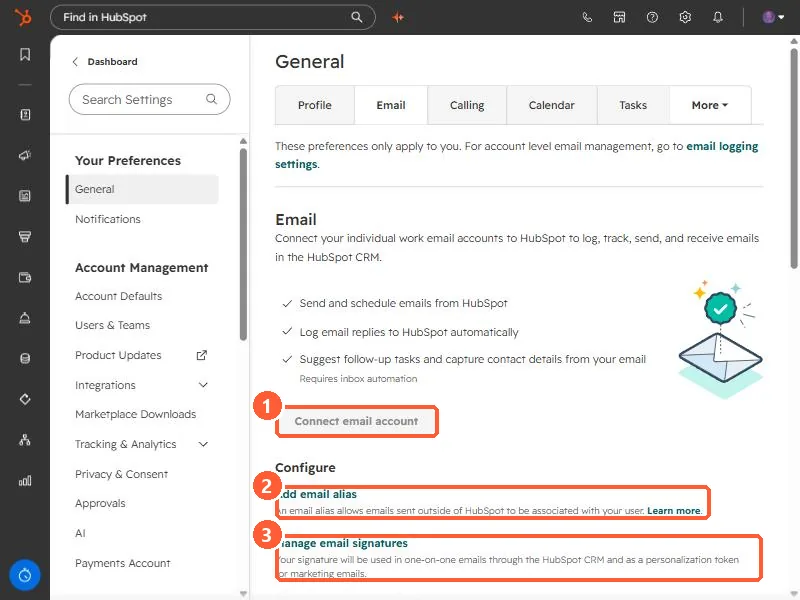
Email preferences in my demo portal.
Connect email account (1), Add email alias (2), and Manage email signatures (3).