Quick tipHow toMarketing Hub

Analyze social post performance

Organic only, last year only.

Subscription
Marketing Hub Professional or Enterprise
Permissions
Social access
Time
3 min · Beginner
Last verified

Short answer

HubSpot's KB: use the Analyze tab to review post performance. Reports only show the past year. Externally published posts can take up to a day to appear; TikTok 24 to 48 hours. Boosted posts and ad campaigns aren't included, only organic data.

1. The tabs

The social tool in my demo portal.
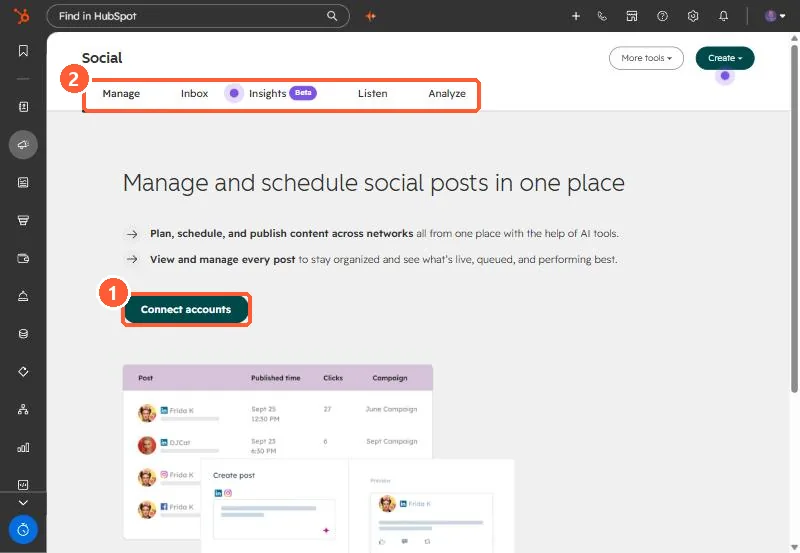
Social tool empty state with Connect accounts button and Manage, Inbox, Insights, Listen, Analyze tabs
Connect accounts (1) and the social tool's tabs (2).

2. Externally published

You can choose to include posts published outside HubSpot when connecting accounts.

3. Related

Scheduling posts.

Sources

New field notes by email

One email when a new article publishes.

Still stuck?

If this did not fix it, the problem is probably specific to your setup. Book a call and we will look at it together.

Book a call with Sam