Quick tipFix itContent Hub

Content editor won't save, or a page 404s

Multiple open tabs cause save conflicts.

Subscription
All tiers
Permissions
Content edit access
Time
2 min · Beginner
Last verified

Short answer

HubSpot's KB: changes may not save if the content is open in multiple tabs or devices. A 404 means no live page exists at that URL. If HubSpot confirms an incident affecting editors, there's no fix until it's resolved.

1. In HubSpot

The relevant screen in my demo portal.
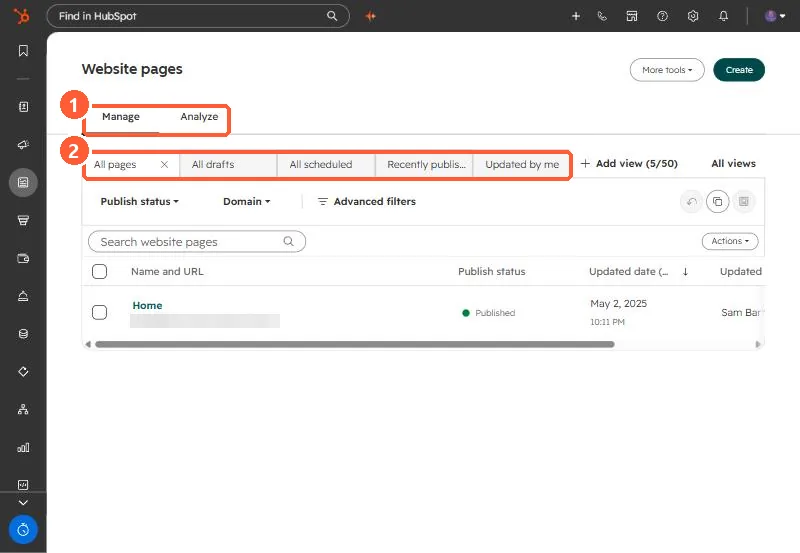
Website pages list with Manage and Analyze tabs, saved views, publish status and domain filters
Manage and Analyze tabs (1) and saved views (2).

2. Worth knowing

The KB also covers network-specific loading and SSL warnings.

3. Related

Restoring versions.

Sources

New field notes by email

One email when a new article publishes.

Still stuck?

If this did not fix it, the problem is probably specific to your setup. Book a call and we will look at it together.

Book a call with Sam