Short answer
HubSpot does not store a live "today" value on records. Instead, create a calculation property: Time since uses a date property as the start and today as the end; Time until uses today as the start. HubSpot's KB also describes relative time date properties. Raw duration values are stored in milliseconds, so formulas and filters may need millisecond values. Calculation properties need Professional or Enterprise.
1. Where to start
Create property, field type Calculation, in my demo portal.
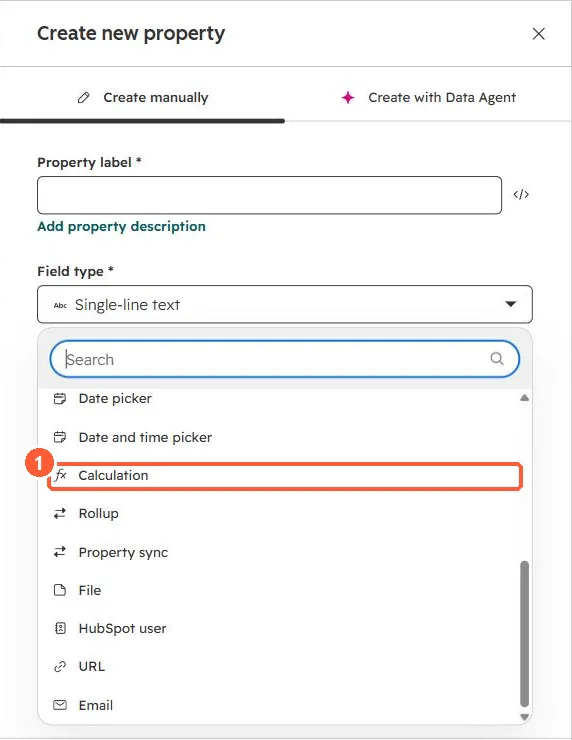
2. Pick the right type
- Days since last purchase: Time since, using the purchase date.
- Days until renewal: Time until, using the renewal date.
- Between two fixed dates: Time between.
3. Related
Calculation properties and date property reminders.