Short answer
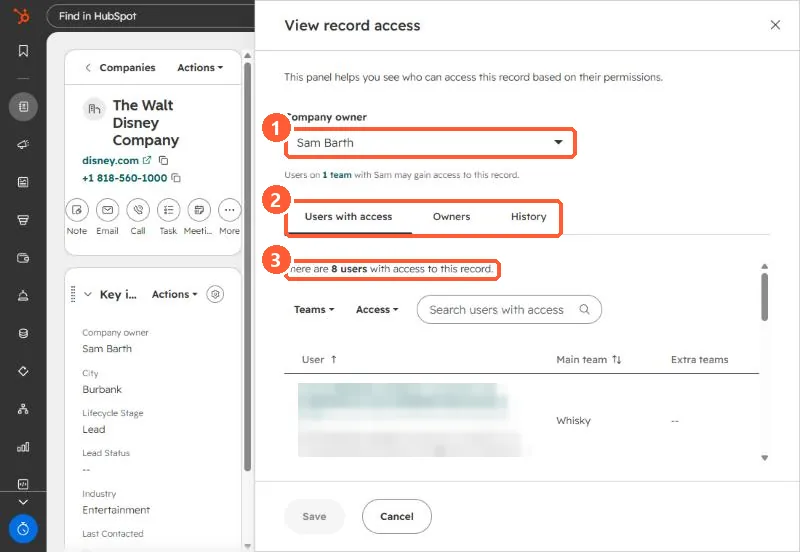
Actions > View record access shows the record's owner and every user with access, with filters for teams and access level, plus Owners and History tabs for owner changes. In my demo portal a company showed 8 users with access, including an app user for a connected AI tool. Sharing a record with a user or team adds access in line with their object permissions.
1. The panel
2. What it shows
- The default owner at the top. Changing it here changes the owner, so use Cancel if you are only looking.
- Users with access, with their main and extra teams.
- Owner history, including custom user properties.
- Connected apps that act as users can appear in the list.
3. Fixing access
Change object permissions or teams in Users & Teams, or share the single record. See permission sets and seats.