Short answer
App webhook subscriptions tell HubSpot which events to send to your URL. Requests are POSTs with a JSON array of under 100 events, with up to 10 concurrent requests per installing account by default (adjustable, minimum above five). Events are not ordered and can arrive in separate batches. HubSpot signs requests with X-HubSpot-Signature and retries failed deliveries up to 10 times. Setting changes can take five minutes to apply.
1. Where apps live now
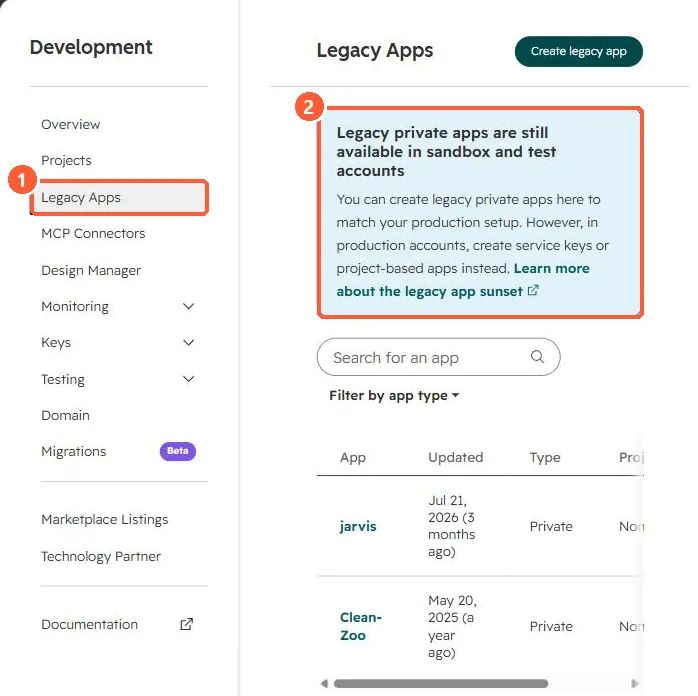
In my demo portal, Development, Legacy Apps notes that legacy private apps are still available in sandbox and test accounts, while production accounts should use service keys or project-based apps.
2. A delivery
[
  {
    "eventId": 100,
    "subscriptionType": "contact.propertyChange",
    "objectId": 123,
    "propertyName": "lifecyclestage",
    "propertyValue": "customer",
    "occurredAt": 1759800000000
  }
]
3. Build it to survive
- Make processing idempotent; use eventId to ignore repeats.
- Association change subscriptions fire twice, once per side.
- For workflow-driven calls instead, see the Send a webhook action. For keys, see service keys.