Quick tipHow toService Hub

Connect WhatsApp to help desk

Remove it from the inbox first.

Subscription
Check your subscription
Permissions
Account Access
Time
2 min · Intermediate
Last verified

Short answer

HubSpot's KB: messages to your WhatsApp number create a new thread and ticket in help desk. If the account is already connected to the conversations inbox, delete that channel first. Account Access permissions are required.

1. In HubSpot

The relevant screen in my demo portal.
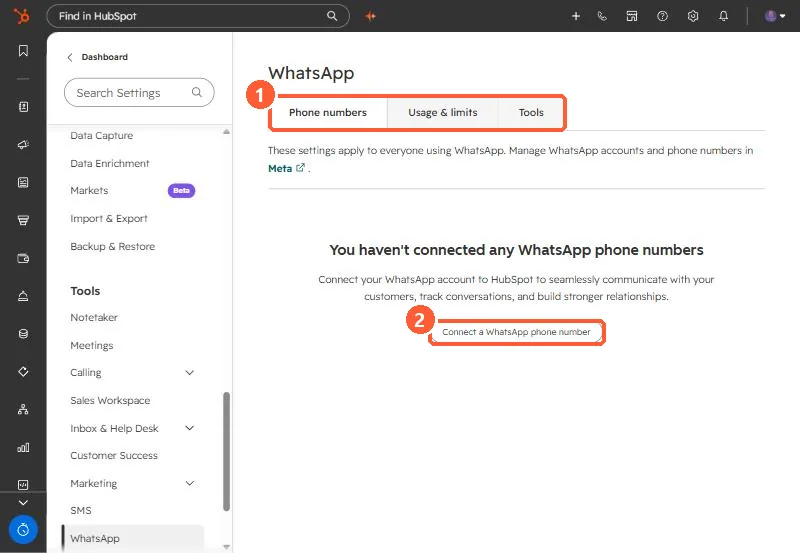
WhatsApp settings with Phone numbers, Usage and limits, and Tools tabs and a Connect a WhatsApp phone number button
The tabs (1) and Connect a WhatsApp phone number (2).

2. Worth knowing

Plan the switch so no messages land in a deleted channel.

3. Related

WhatsApp in HubSpot and subscription statuses.

Sources

New field notes by email

One email when a new article publishes.

Still stuck?

If this did not fix it, the problem is probably specific to your setup. Book a call and we will look at it together.

Book a call with Sam