Quick tipHow toContent Hub

Edit your blog listing page

One listing page per blog.

Subscription
All tiers; coded templates Professional+
Permissions
Design tools for coded templates
Time
2 min · Intermediate
Last verified

Short answer

HubSpot's KB: each blog has only one listing page, edited with drag and drop in the content editor. Editing coded listing templates needs Marketing or Content Hub Professional or Enterprise and Design tools permission.

1. In HubSpot

The relevant screen in my demo portal.
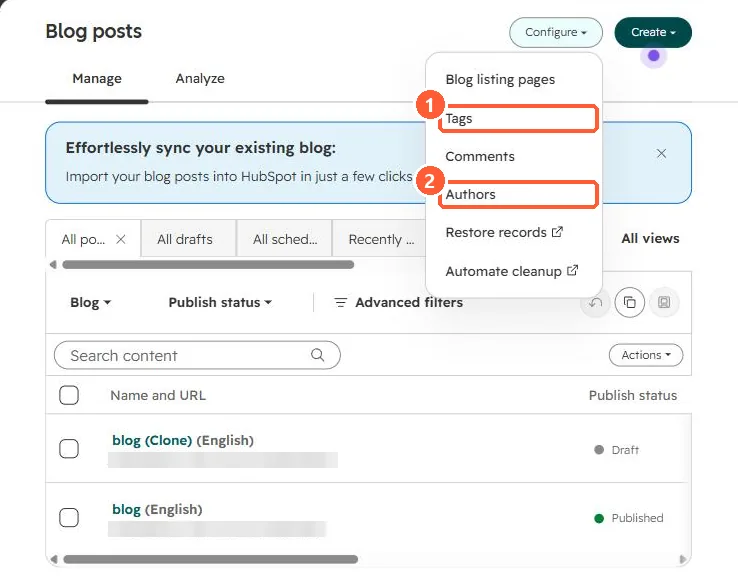
Blog posts list with the Configure menu open showing Blog listing pages, Tags, Comments, Authors, Restore records and Automate cleanup
Tags (1) and Authors (2).

2. Worth knowing

Because each blog has one, you edit the listing page rather than unpublish it.

3. Related

Authors and tags and featured images.

Sources

New field notes by email

One email when a new article publishes.

Still stuck?

If this did not fix it, the problem is probably specific to your setup. Book a call and we will look at it together.

Book a call with Sam