Quick tipHow toContent Hub

Change your blog's template and settings

Watch for hardcoded years in date formats.

Subscription
All tiers with blog; some options Enterprise
Permissions
Website settings
Time
2 min · Intermediate
Last verified

Short answer

HubSpot's KB: change the post or listing template in blog settings. Show summaries on listing page shows content up to the Read More separator. If dates always show one year, the date format has a hardcoded year.

1. In HubSpot

The relevant screen in my demo portal.
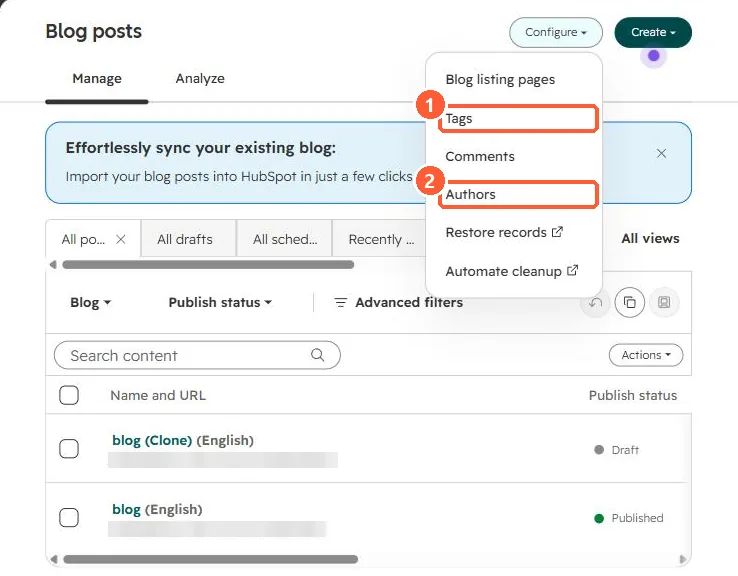
Blog posts list with the Configure menu open showing Blog listing pages, Tags, Comments, Authors, Restore records and Automate cleanup
Tags (1) and Authors (2).

2. Worth knowing

Check the date format after changing templates.

3. Related

Blog templates and the listing page.

Sources

New field notes by email

One email when a new article publishes.

Still stuck?

If this did not fix it, the problem is probably specific to your setup. Book a call and we will look at it together.

Book a call with Sam