Quick tipHow toService HubMarketing Hub

Change the chat widget's color, avatar and position

Appearance is set on the chat channel, not the chatflow.

Subscription
All chat tiers
Permissions
Inbox or help desk settings access
Time
2 min · Beginner
Last verified

Short answer

HubSpot's KB: chat widget colors default to your account branding; pick a preset or enter a hex value. Choose the chat heading name and avatar. In help desk, the Configure tab sets accent color, font and positioning, plus triggers for when it appears. Welcome messages are set in the chatflow editor.

1. Chatflows

Chatflows in my demo portal.
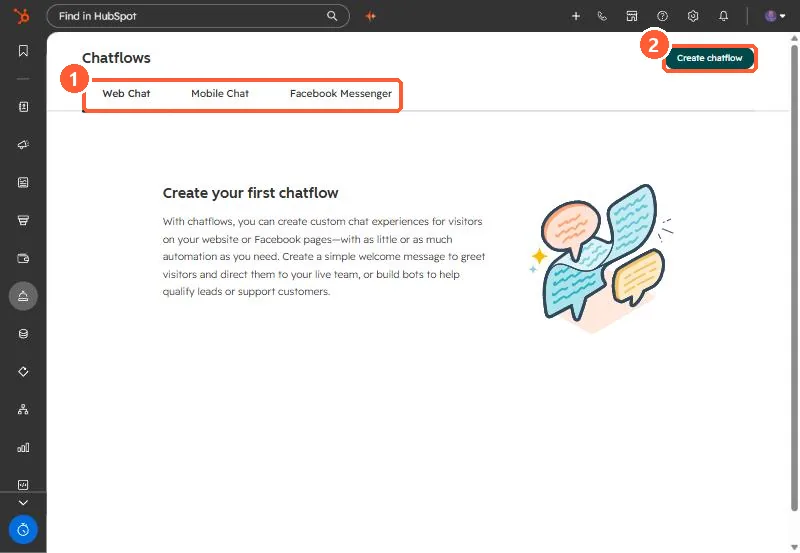
Chatflows page with Web Chat, Mobile Chat and Facebook Messenger tabs and Create chatflow button
Chat channels (1) and Create chatflow (2).

2. Which pages

See chatflow targeting.

3. Related

Website chatflows.

Sources

New field notes by email

One email when a new article publishes.

Still stuck?

If this did not fix it, the problem is probably specific to your setup. Book a call and we will look at it together.

Book a call with Sam