Quick tipHow toSmart CRM

Export everything about one contact

Actions > Export contact data.

Subscription
All tiers
Permissions
Super Admin or CRM export
Time
2 min · Beginner
Last verified

Short answer

HubSpot's KB: from a contact record choose Actions > Export contact data, and tick Associations to include associated records. For privacy requests, export from the Data Request Manager. The file contains personal data.

1. In HubSpot

The relevant screen in my demo portal.
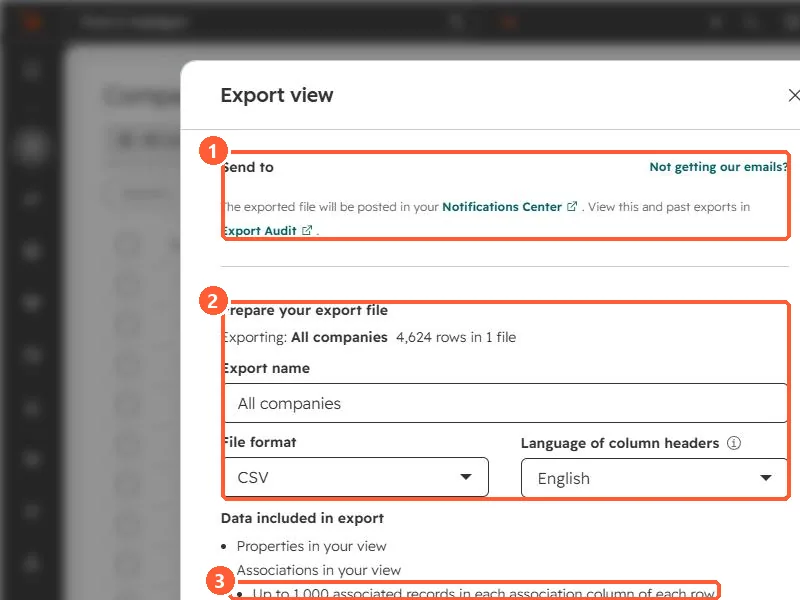
Export view dialog showing where the file is sent, export name, file format and the associations included
Where the file goes (1), the file settings (2), and the association limit (3).

2. Worth knowing

For many records, use an index page export instead.

3. Related

Exporting companies with contacts and contact deletion.

Sources

New field notes by email

One email when a new article publishes.

Still stuck?

If this did not fix it, the problem is probably specific to your setup. Book a call and we will look at it together.

Book a call with Sam