Quick tipHow toMarketing Hub

Export a marketing email as HTML or PDF

HTML to rebuild it elsewhere, PDF to share for approval.

Subscription
Marketing Hub Professional or Enterprise
Permissions
View permission for marketing emails
Time
2 min · Beginner
Last verified

Short answer

HubSpot's KB: export PDF or HTML versions of marketing emails. In the editor, use File > Export email design; on a sent email's performance page, use Export > Export email design. For A/B tested emails, pick which version. HTML helps recreate the email elsewhere; PDF suits approvals.

1. The File menu

The email editor in my demo portal.
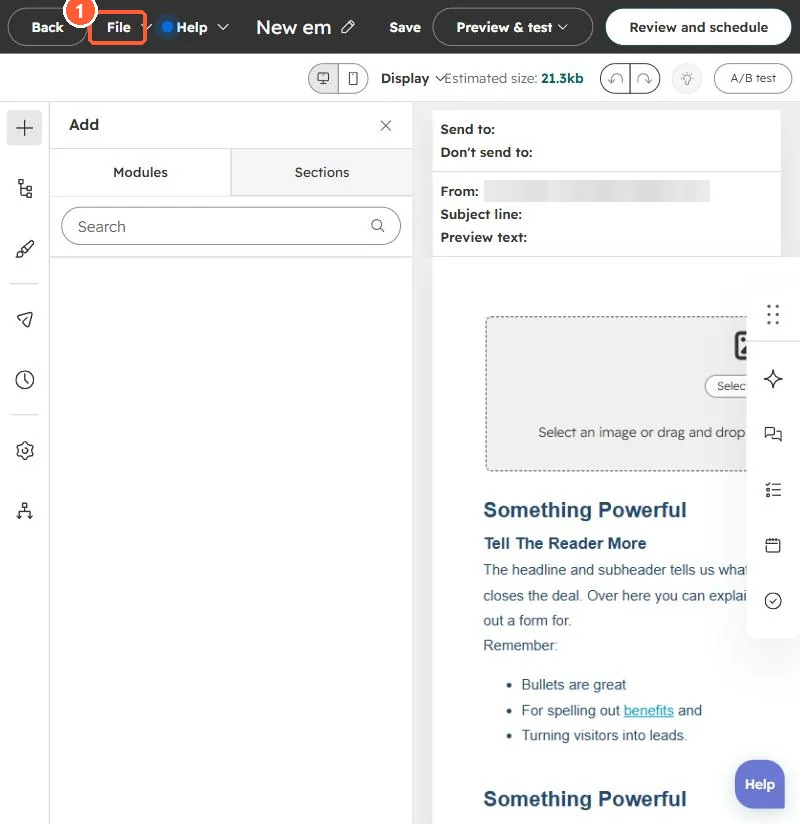
Email editor with File menu in the top bar
File (1).

2. Related

Email templates.

3. For approval

See content approvals.

Sources

New field notes by email

One email when a new article publishes.

Still stuck?

If this did not fix it, the problem is probably specific to your setup. Book a call and we will look at it together.

Book a call with Sam