Quick tipFix itSales Hub

IMAP inbox won't connect

IP allowlists are a common cause.

Subscription
All tiers
Permissions
Connected inbox; IT
Time
2 min · Advanced
Last verified

Short answer

HubSpot's KB: errors often come from servers that only allow certain IPs; IT must allowlist HubSpot's IPs. Some servers error with too many concurrent connections. Confirm the server meets HubSpot's IMAP requirements.

1. In HubSpot

The relevant screen in my demo portal.
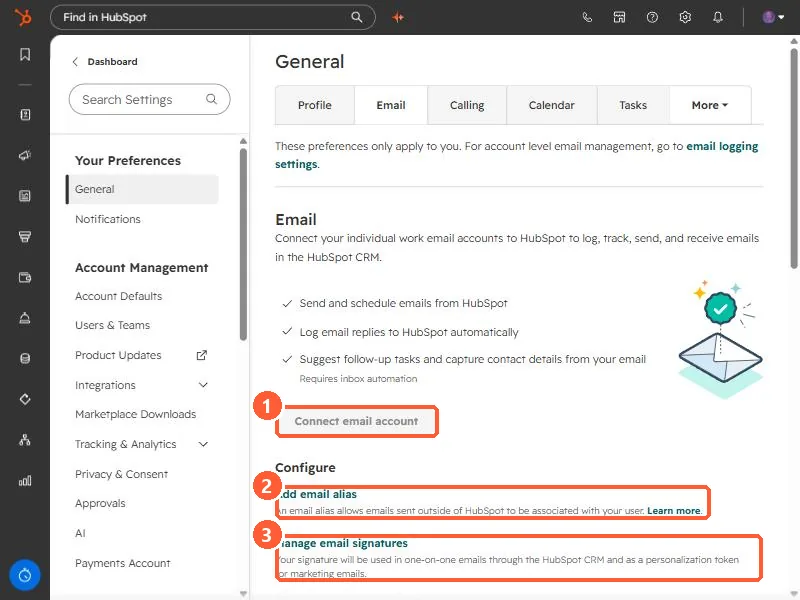
Personal Email preferences with Connect email account, Add email alias, and Manage email signatures highlighted
Connect email account (1), Add email alias (2), and Manage email signatures (3).

2. Worth knowing

Share the exact error with IT.

3. Related

IMAP and SMTP settings and send-as errors.

Sources

New field notes by email

One email when a new article publishes.

Still stuck?

If this did not fix it, the problem is probably specific to your setup. Book a call and we will look at it together.

Book a call with Sam