Quick tipHow toService Hub

Import knowledge base articles

Import as drafts to review first.

Subscription
Service Hub Professional or Enterprise
Permissions
Knowledge base settings; Service Hub seat
Time
2 min · Intermediate
Last verified

Short answer

HubSpot's KB: import from Freshdesk, Help Scout, Zendesk or Intercom, or a CSV. Choosing Import all content as Draft keeps articles hidden until published. Professional allows one knowledge base with up to 2,000 articles.

1. In HubSpot

The relevant screen in my demo portal.
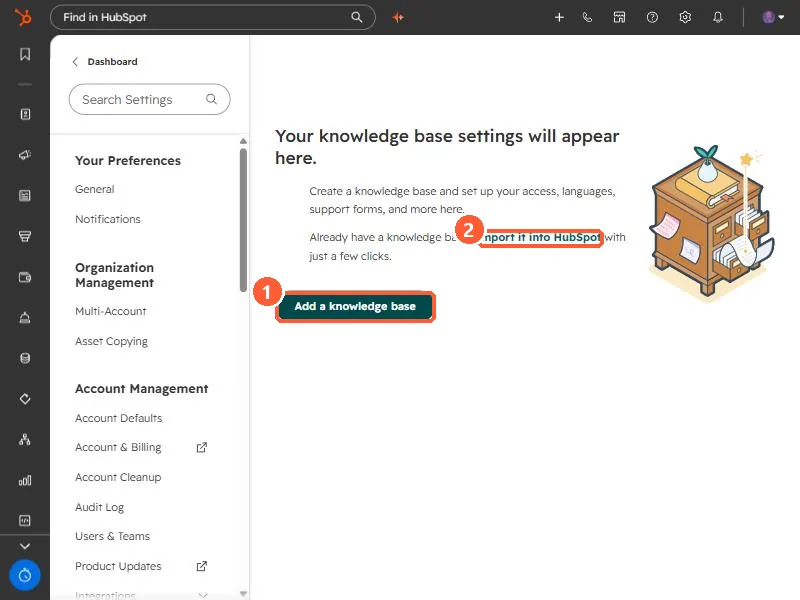
Knowledge base settings empty state with Add a knowledge base and Import it into HubSpot
Add a knowledge base (1) and import (2).

2. Worth knowing

Check article counts against your tier's limit before importing.

3. Related

Multiple knowledge bases and styling.

Sources

New field notes by email

One email when a new article publishes.

Still stuck?

If this did not fix it, the problem is probably specific to your setup. Book a call and we will look at it together.

Book a call with Sam