Quick tipHow toService Hub

Run more than one knowledge base

Enterprise can run up to 100 knowledge bases.

Subscription
Service Hub Enterprise
Permissions
Super Admin or Knowledge base settings; Service Hub seat
Time
2 min · Intermediate
Last verified

Short answer

HubSpot's KB: create multiple knowledge bases to organize content for different audiences, products or brands. Service Hub Enterprise allows up to 100 knowledge bases and 10,000 articles per account. It needs a Service Hub seat and Super Admin or Knowledge base settings permission.

1. In HubSpot

The relevant screen in my demo portal.
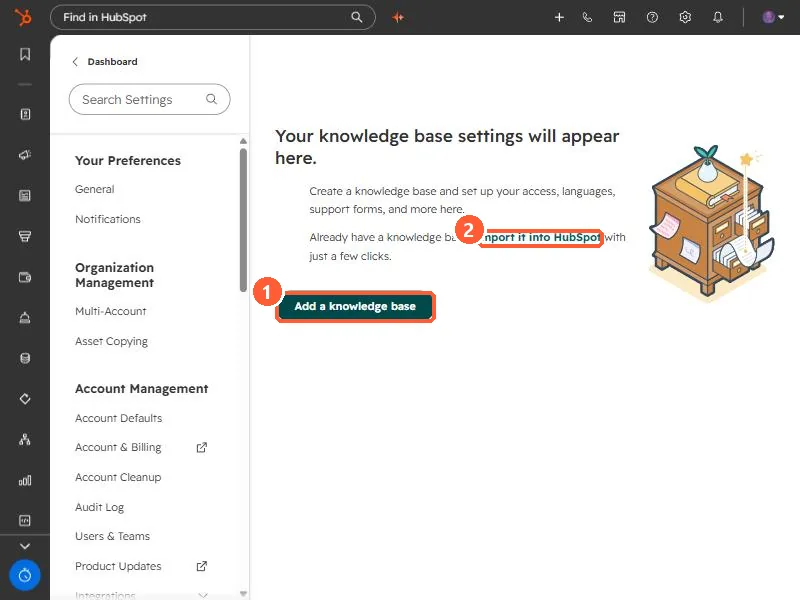
Knowledge base settings empty state with Add a knowledge base
Add a knowledge base (1) and import (2).

2. Worth knowing

Professional accounts get one knowledge base. For languages instead of audiences, use multi-language articles.

3. Related

Knowledge base visibility and styling.

Sources

New field notes by email

One email when a new article publishes.

Still stuck?

If this did not fix it, the problem is probably specific to your setup. Book a call and we will look at it together.

Book a call with Sam